


SEO Basics for Creators: Get Found Without the Jargon

Search engines are still how many people find a teacher, a shop or a consultant. These SEO basics for creators cover the few things that matter, and where to set each one in Weesify.
Social media is where people meet you. Search is where they look for you on purpose. Someone types "Arabic tutor for adults online", "Quran memorisation course for kids" or "brand photographer near me", and whichever page answers that question clearly gets the visit.
SEO (search engine optimisation) sounds technical, but for creators and small businesses it comes down to a handful of habits. This guide covers the SEO basics for creators that actually move the needle, in plain words, and shows where to set each one in Weesify: on your bio pages, blog posts, HTML websites, short links and custom domain.
In this guide
- How search engines decide what to show
- Choose the words your visitors actually use
- Titles and descriptions that earn the click
- Sharing images and previews
- Your own domain and a sitemap
- Write content worth finding
- Keep pages out of search when you need to
- Measure what search brings you
- A one-page SEO checklist
How search engines decide what to show
You do not need the details. Three ideas are enough:
- Relevance. Does this page clearly answer what the person typed?
- Trust. Does the page look like a real, consistent source, on a stable address?
- Experience. Does it load properly, read well on a phone and give people what they came for?
Everything below serves one of these three.
Step 1: Choose the words your visitors actually use
Before writing a title, write down how a stranger would describe what you offer. Not your brand name, but their words.
- You say "holistic learning journeys". They search "Islamic studies course for beginners".
- You say "visual identity studio". They search "logo designer for small business".
Pick one main phrase per page. Your bio page might target your name plus what you do. A blog post might target one specific question. Then use that phrase naturally in the title, the first paragraph and one heading. Do not repeat it in every sentence; that reads badly to people and does not help.
Step 2: Titles and descriptions that earn the click
Your title and description are what people see in search results and, often, in sharing previews. They are your shop window.
Title (about 60 characters): put your name or brand first, then what you offer. For a blog post, lead with the main phrase.
Description (about 155 characters): write for people, not for search engines. Say what visitors will get.
| Weak | Better |
|---|---|
| "Home" | "Yusuf Rahman · Arabic tutor for adults, online" |
| "Welcome to my page!!!" | "One-to-one Arabic lessons for busy adults, online. Book a taster lesson this week." |
Only promise what you actually offer; a description that over-promises loses trust the moment someone lands.
Where to set them in Weesify
- Bio pages: open the page in the editor and go to its settings. Fill in the title, description and sharing image, then publish.
- Blog posts: open Search & sharing in the post settings for SEO title and SEO description.
- HTML websites: every HTML file is a page. In the website's settings, set the homepage and what search engines and link previews show for each page, including the Meta description.
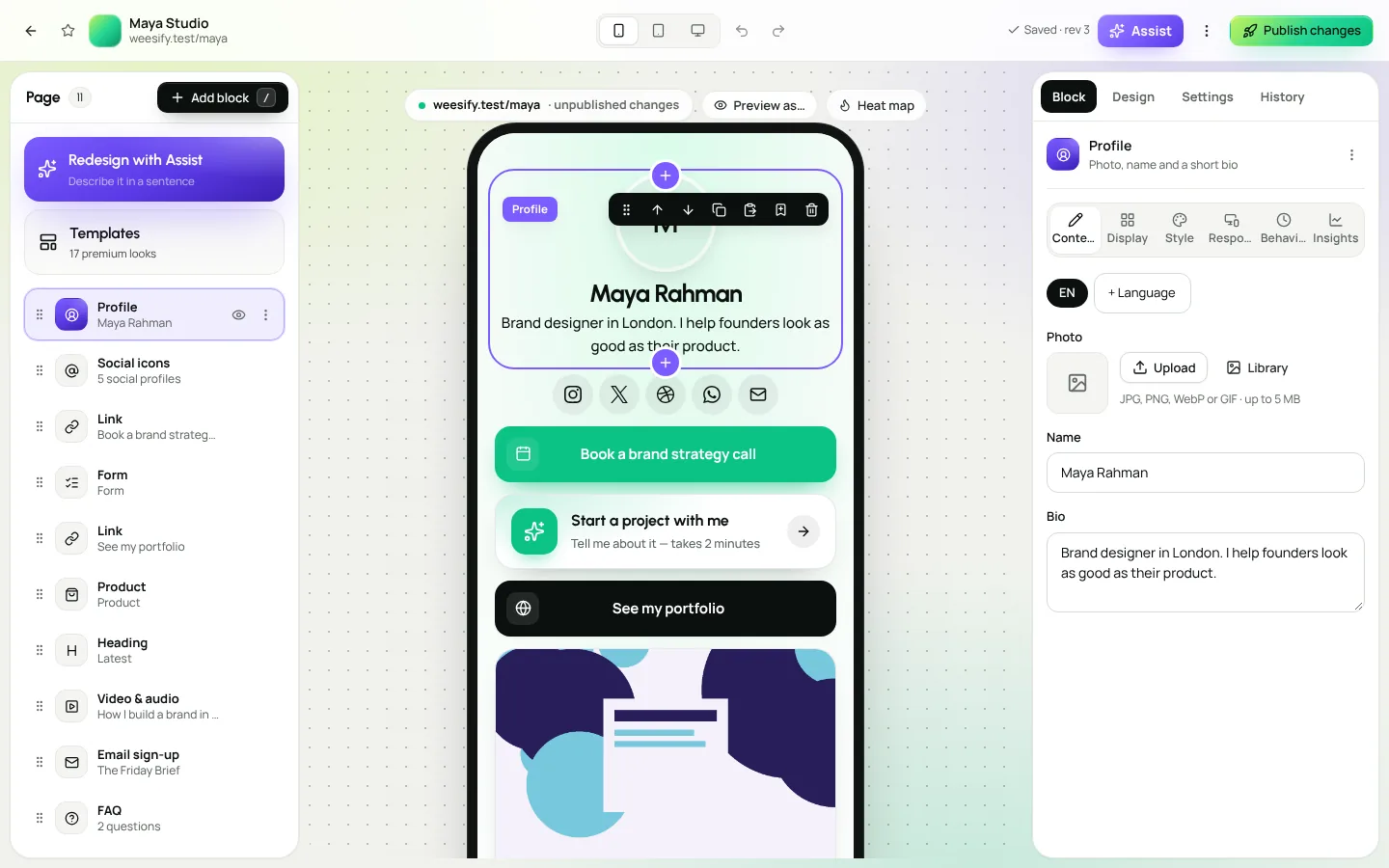
Step 3: Sharing images and previews
When someone shares your link in a chat or feed, apps show a card with a title, description and image. Search engines use the same details.
- Use a sharing image of about 1200 × 630 pixels.
- Use the same style of sharing image across your channels so your brand is recognisable.
- Blog posts use the cover as the sharing image if you do not set one.
- Short links have their own Link preview settings, so a campaign link can show a card written for that campaign. See Branded short links: the complete guide.
Social apps cache previews, so a new image can take a while to appear. Many apps offer a "refresh preview" tool.
Step 4: Your own domain and a sitemap
A custom domain helps people trust and remember your link, and it gives search engines one stable address for your brand. If you ever move platforms, the address, and the trust it has built, stays with you.
When you connect a domain in Workspace › Domains, Weesify also serves a sitemap at /sitemap.xml on that domain. It lists the published pages, forms, products and shops whose address is on that domain, so search engines can find them. Drafts, password-protected pages and short links are left out, as they should be.
Two more domain habits help search:
- One main address. For HTML websites, the first domain is the primary; aliases and the Weesify address send visitors to it, so search engines see one address.
- Blog on your domain. Pick your domain in Blog settings and your blog answers at
yourdomain.com/blog, which becomes its main address.
Follow the custom domain setup guide to connect yours.
Step 5: Write content worth finding
A bio page can rank for your name. To be found for the questions people ask, you need pages that answer them. That is what a blog is for.
Good posts for search:
- Answer one question per post, as completely as you can. "How long does it take to learn to read Arabic?" is a better post than "My thoughts on Arabic".
- Use headings that match the questions inside the topic.
- Add a short FAQ at the end with real questions your clients ask.
- Link between your posts, so readers (and search engines) find related answers.
- Update old posts instead of writing near-duplicates.
If your post first appeared elsewhere, set the Canonical address in Search & sharing so search engines know which copy is the original.
Read Start a blog on Weesify to set yours up, and A content marketing funnel for creators to connect posts to sales.
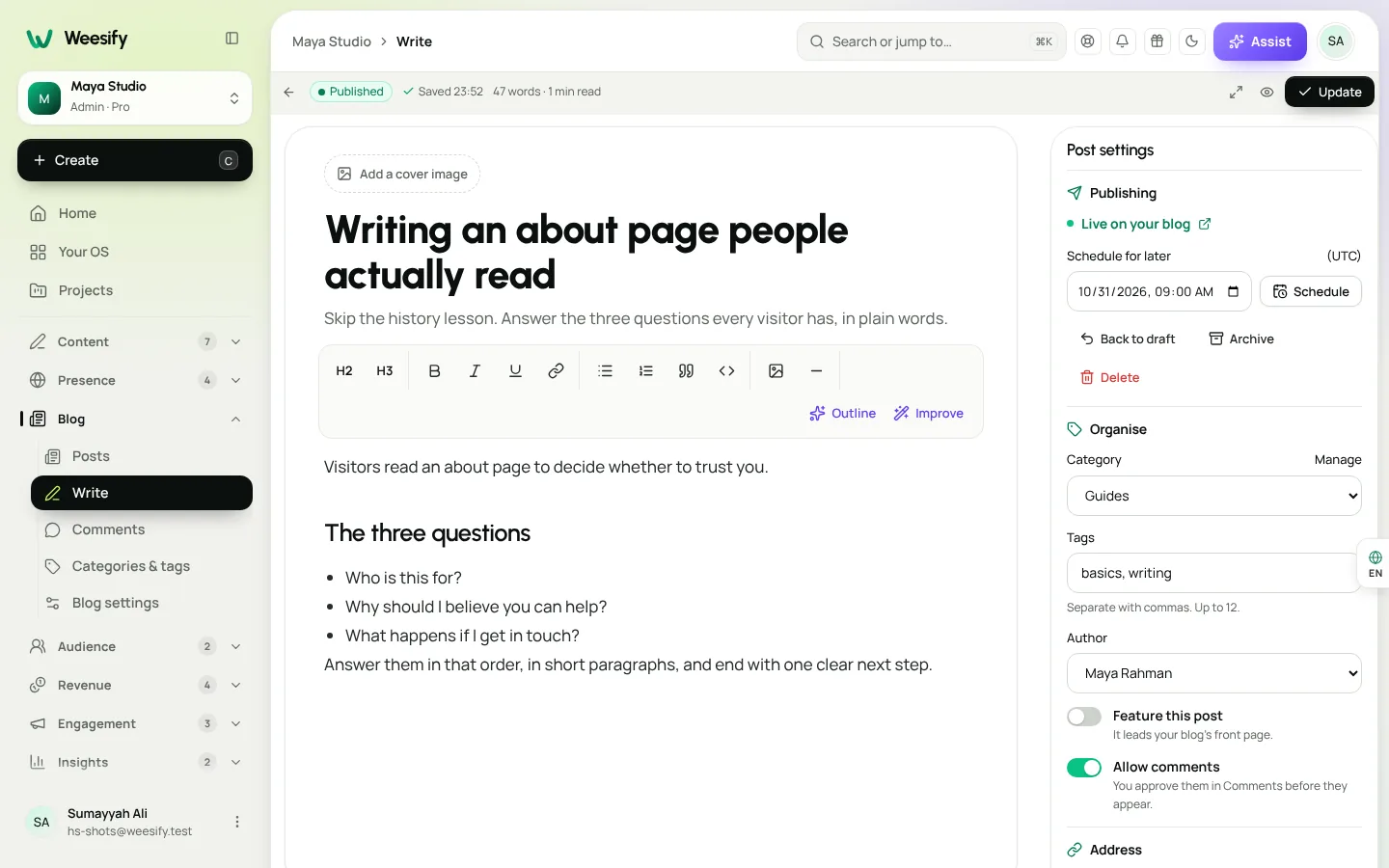
Step 6: Make pages easy to use
Search engines pay attention to whether people find what they came for. A few basics:
- Mobile first. Most visitors from social media are on phones. Check every page on a phone before publishing.
- Readable text. Make sure text has enough contrast with the background.
- Descriptive image text. Add alt text (Weesify calls it Cover description on blog posts and Alt text in the website editor) so screen readers, and search engines, understand images.
- Clear links. "Book a call" tells everyone more than "Click here".
Step 7: Keep pages out of search when you need to
Not every page should be found. A thank-you page, a private offer for existing clients or a test page can be hidden. In page settings, use Hide from search engines, which adds a noindex instruction.
Also remember: new pages can take days or weeks to be indexed. Make sure the page is published and not hidden from search before worrying.
Step 8: Measure what search brings you
Open Analytics and look at Sources: the sites and apps that sent visitors. Over time you should see search engines appear as a source for your blog posts and pages. Compare a few weeks before and after you improve a page's title and description.
Weesify analytics are designed to be privacy-friendly and do not show you visitor identities. For more, read Analytics: know where your visitors come from.
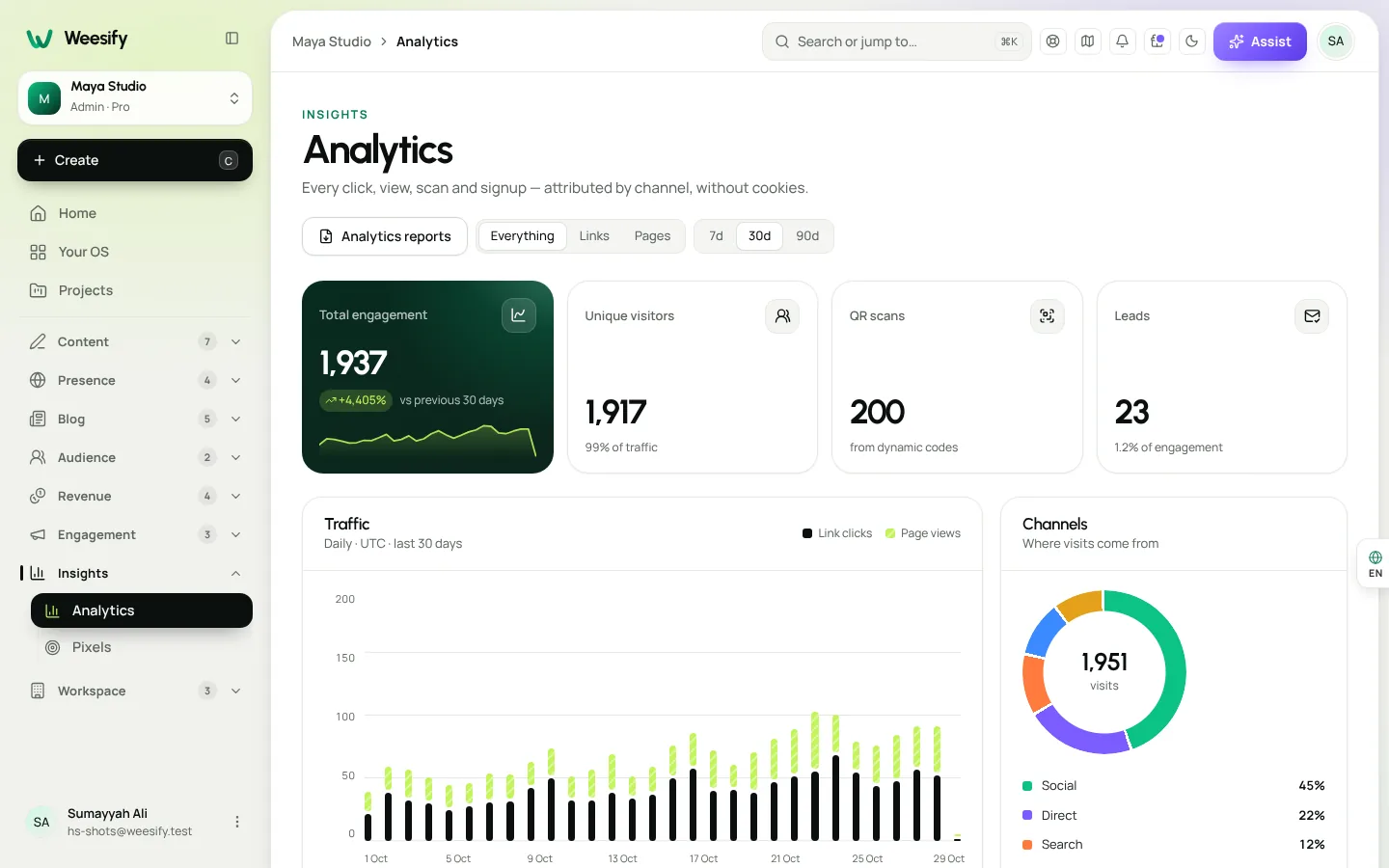
Your one-page SEO checklist
- One main phrase per page, in the visitors' own words
- Title under about 60 characters, brand or phrase first
- Description under about 155 characters, written for people
- Sharing image around 1200 × 630
- Custom domain connected; sitemap available
- Blog posts answer one question each, with headings and an FAQ
- Alt text on images
- Private pages hidden from search
- Sources checked in Analytics every few weeks
Frequently asked questions
What is SEO for creators?
It is making your pages easy for search engines to understand and worth clicking in search results, so people who search for what you offer can find you.
Does a bio page help with SEO?
It can rank for your name and brand, especially with a clear title, description and your own domain. To be found for specific questions, add blog posts that answer them.
Do I need a custom domain for SEO?
You can be found without one, but a custom domain gives you a stable, trusted address that stays yours, and Weesify serves a sitemap on it.
How long does SEO take to work?
New pages can take days or weeks to be indexed, and results build over months as you publish useful content. Check your sources in Analytics regularly.
How do I stop a page from appearing in search?
Turn on Hide from search engines in the page's settings. It adds a noindex instruction.
Be easy to find
SEO is not a trick. It is clear words, honest promises, a stable address and content that answers real questions. Weesify puts each of those settings where you already work.
Start your 14-day trial and give your pages, posts and websites the details search engines need. See plans on the pricing page.
تابع القراءة
 Growth & marketing
AI Content Ideas That Sound Like Your Brand, Not a Robot
Generic AI ideas produce generic posts. Describe your brand voice once in Weesify and every idea, angle and draft starts closer to how you actually speak.
Growth & marketing
AI Content Ideas That Sound Like Your Brand, Not a Robot
Generic AI ideas produce generic posts. Describe your brand voice once in Weesify and every idea, angle and draft starts closer to how you actually speak.
 Growth & marketing
Captions, Highlights and Short Clips From One Long Video
One long talk can feed your short-video channels for weeks. Here is how to find the strongest moments, add captions people can read on mute, and export clips for every feed.
Growth & marketing
Captions, Highlights and Short Clips From One Long Video
One long talk can feed your short-video channels for weeks. Here is how to find the strongest moments, add captions people can read on mute, and export clips for every feed.
 Growth & marketing
Discount Codes and Offers That Sell Without Cheapening
Discounts can fill a launch or quietly train buyers to wait for a sale. Here's how to use Weesify discount codes, automatic sales, event codes and order bumps with intent.
Growth & marketing
Discount Codes and Offers That Sell Without Cheapening
Discounts can fill a launch or quietly train buyers to wait for a sale. Here's how to use Weesify discount codes, automatic sales, event codes and order bumps with intent.
التعليقات
لا توجد تعليقات بعد. ابدأ المحادثة.