


The Weesify API and CLI: A Developer's Guide

Scoped tokens, a documented REST API, signed webhooks and a one-file CLI that deploys websites from your laptop or build pipeline. Here is how they fit together.
Weesify does a lot inside the app: pages, links, QR codes, contacts, forms, a store, courses, bookings, events and websites. Sooner or later, a developer wants to reach that from the outside: create a short link from a script, push new contacts in from another system, react when an order is paid, or deploy a website from a build pipeline. The Weesify API and CLI are how you do that.
This guide covers the pieces in order: tokens, the REST API, webhooks and the command-line tool. Every example below uses real endpoints, scopes and commands from the API reference.
In this guide
- Create a scoped API token
- How the REST API behaves: pagination, retries, limits and errors
- What you can reach through the API
- Webhooks, signatures and secret rotation
- The Weesify CLI for website deploys
- Deploying from a build pipeline
- FAQ
Step 1: create a scoped token
Open Settings › Developers and create a token. Name it after what will use it, such as "Website deploys" or "CRM sync", choose what it can do, and optionally set it to expire after 30, 90 or 365 days. The token, which starts with wsy_, is shown once, so store it somewhere safe.
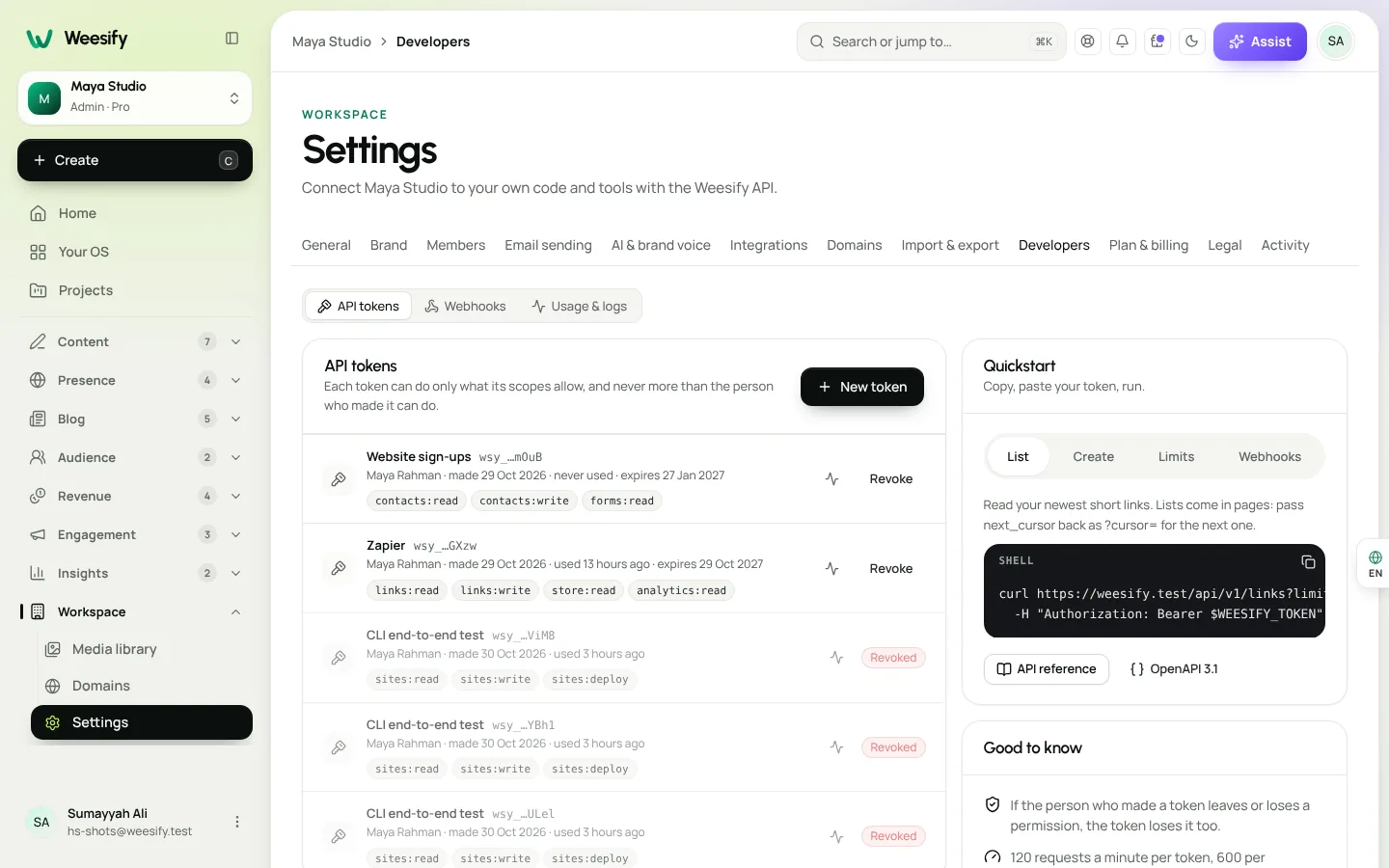
Scopes keep each token to the smallest job it needs. A few examples:
| Scope | What it allows |
|---|---|
links:read / links:write | Read, or create, change and delete, short links |
qr:read / qr:write | Read, or manage, QR codes |
contacts:read / contacts:write | Read, or add, update, tag and delete, contacts |
forms:read | Forms and what people submitted |
store:read | Products and orders |
sites:read / sites:write / sites:deploy | Pages and websites; manage websites; publish and roll back |
events:read / events:write / events:attendees / events:checkin | Events, registrations and check-ins |
bookings:read, courses:read, blog:read, analytics:read | Read-only access to those areas |
webhooks:read / webhooks:write | Manage webhook endpoints |
A token can only ever do what its scopes and the creator's role allow. The Usage & logs tab in Settings › Developers shows your request log, which helps when you are debugging.
Step 2: call the REST API
The base address is https://weesify.com/api/v1, and every request carries your token as a bearer token. The quickstart in Settings › Developers has copyable examples. Listing your newest short links looks like this:
curl https://weesify.com/api/v1/links?limit=5 \
  -H "Authorization: Bearer $WEESIFY_TOKEN"
A few conventions run through the whole API:
- Cursor pagination. Lists return
dataand ametaobject withnext_cursor. Pass it back as?cursor=to get the next page. - Safe retries. Send an
Idempotency-Keyheader on a create request, and the same key and body never create twice within 24 hours. - Rate-limit headers. Every answer carries
X-RateLimit-Limit,X-RateLimit-RemainingandX-RateLimit-Reset, plus the IETFRateLimitheaders and anX-Request-Idthat matches your request log. On a429, wait forRetry-After. - Clear errors. Failures come back as RFC 9457 problem documents with
type,title,status,detailand, for validation, field-levelerrors. - Money in minor units. Prices and totals are whole numbers in the smallest unit of their currency, with the currency alongside.
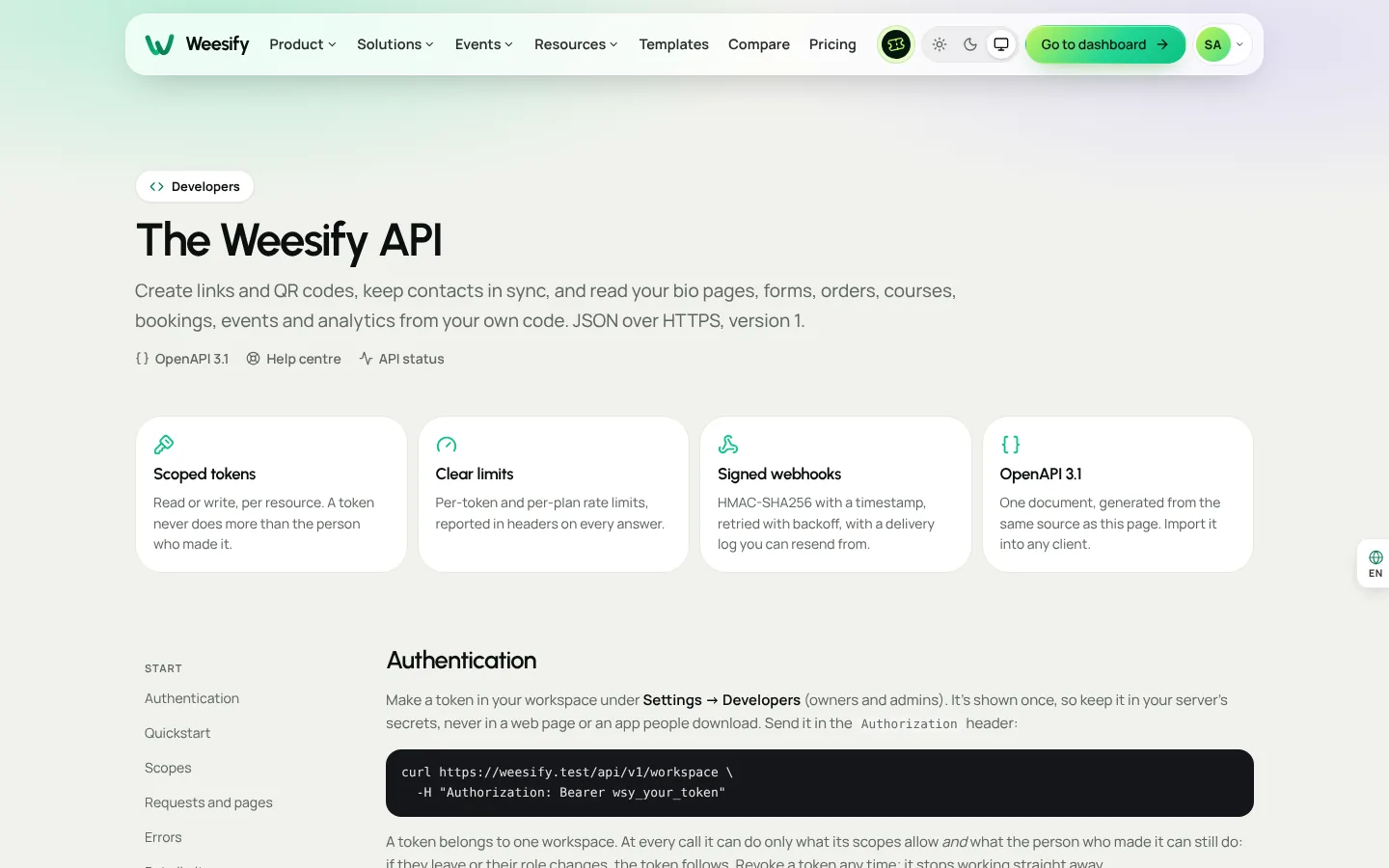
The full machine-readable description is at /api/v1/openapi.json, built from the same source as the developer reference, so the two never drift apart.
What you can reach
The API covers the core of a workspace:
- Links and QR codes: create, change and delete short links with schedules, click limits and UTM tags; create dynamic or static QR codes and get SVG and PNG download links; read link stats by day, country and referrer.
- Contacts: add, update, tag and delete contacts.
subscribed: trueis only allowed with the person's consent, which is recorded. - Forms and store: read forms, submissions, products and orders.
- Events: create draft events with tickets, move them through their lifecycle, register people, list attendees and scan tickets for check-in.
- Bookings, courses and blog: read services, bookings, courses, enrolments and posts.
- Websites: create HTML websites, upload or write files, publish, roll back, connect custom domains and download a ZIP of the draft or live site.
- Analytics: views and clicks per day, with top countries, referrers and devices.
Private things stay private: the API never returns a guest's meeting link, a student's private course link or a ticket's QR payload.
Step 3: webhooks
Webhooks tell your system when something happens, instead of making you poll. Add an endpoint from the API or from the Webhooks tab in Settings › Developers, and pick events such as contact.created, form.submitted, order.paid, booking.created, course.completed, ticket.purchased, attendee.checked_in, post.published or site.deployed. Endpoints can be your own HTTPS address or a Slack or Discord channel.
Each delivery is signed. The X-Weesify-Signature header looks like t=<unix time>,v1=<signature>, where the signature is an HMAC-SHA256 of the timestamp, a dot and the raw body, using your signing secret. Check it in constant time and reject old timestamps. The quickstart includes a short PHP example.
Two practical touches:
POST /webhooks/{id}/testsends a signedpingso you can check your handler before real traffic arrives.POST /webhooks/{id}/rotate-secretgives you a new secret while the old one keeps signing alongside it for a day, so you can roll it out without dropped events.
Step 4: the Weesify CLI
The Weesify CLI is one small file that runs with Node.js 18 or newer. There is nothing else to install, and it works entirely through the API, so it can only do what your token allows. Download it from the CLI page, which also shows the file's SHA-256 fingerprint so you can check the download is genuine.
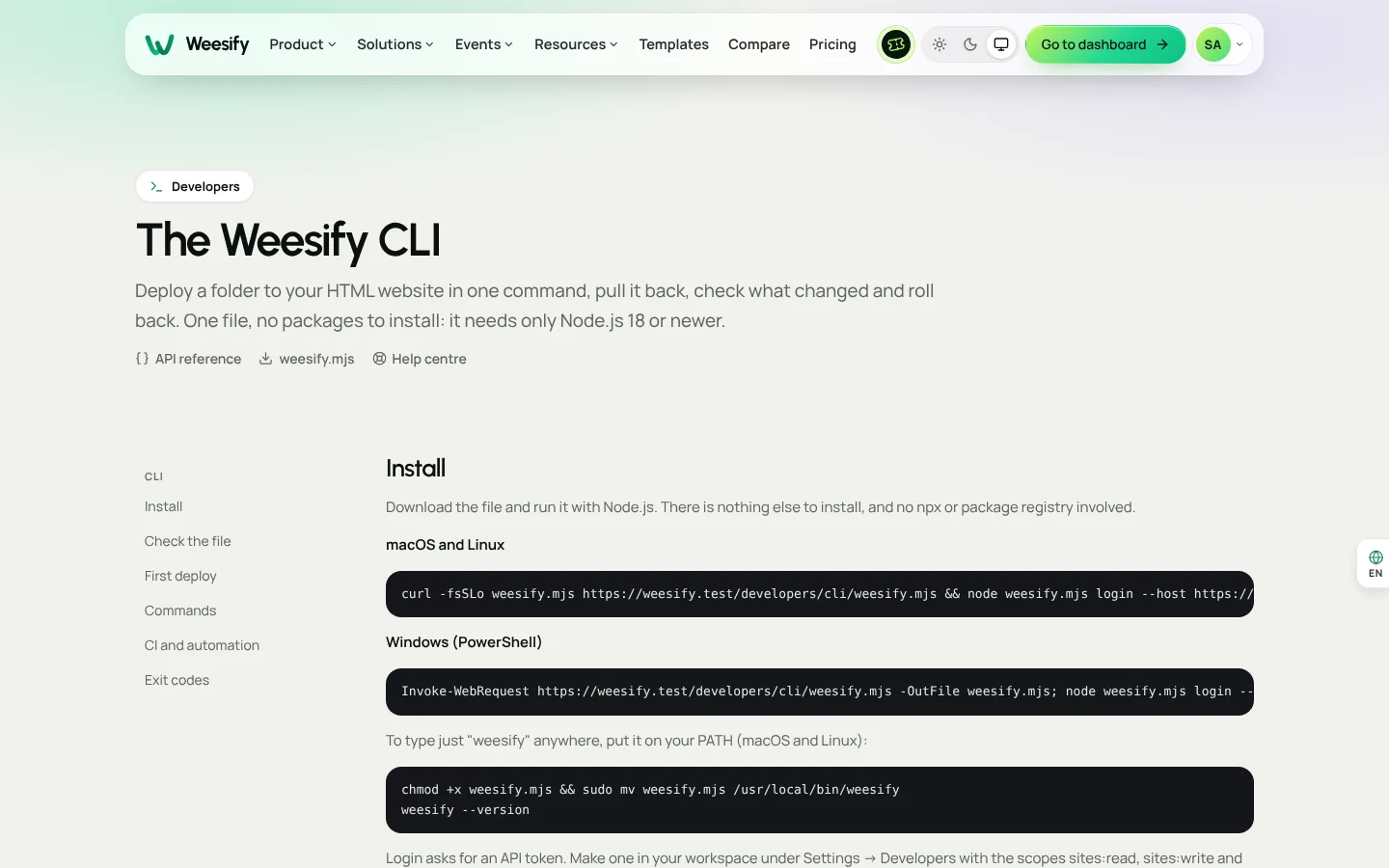
Create a token with Read pages and websites, Manage websites and Deploy websites, then:
node weesify.mjs login
node weesify.mjs init
node weesify.mjs deploy -m "New menu"
init links the folder to an existing website or creates a new one. deploy packs, uploads and publishes the folder and prints the address. The website becomes exactly what is in the folder, so files you deleted locally are removed too. Folders such as node_modules and .git, .env files and logs are left out, and you can list more in a .weesifyignore file. Use deploy --draft to update only the draft and review it in the editor first.
Other commands:
| Command | What it does |
|---|---|
status | What is live, what changed in the draft, and how your folder differs |
pull | Download the draft, or the live site with --live |
deployments | Every deployment, newest first |
rollback | Put the previous deployment, or one you name, back live |
domains | List, add and verify custom domains |
open | Open the website in your browser |
Deploying from a build pipeline
Save the token as a secret called WEESIFY_TOKEN and run:
node weesify.mjs deploy dist --site your-website
If the website requires client approval, a deploy that has not been approved stops with exit code 2. A failed deploy exits with code 3. Either way, the website you had stays live. That makes the CLI a good fit for agencies, which we cover in Weesify for agencies: client websites. For hosting basics, see Host an HTML website on Weesify.
Frequently asked questions
Where do I find the API reference?
At /developers. The OpenAPI document is at /api/v1/openapi.json, built from the same source.
Can a token do everything in my workspace?
No. A token only has the scopes you chose, and never more than the role of the person who created it allows. Create one token per integration and revoke any you no longer use.
How do I know a webhook really came from Weesify?
Recompute the HMAC-SHA256 of the timestamp, a dot and the raw body with your signing secret, compare it to v1 in X-Weesify-Signature in constant time, and reject old timestamps.
Does the CLI need anything besides Node.js?
No. It is a single file that runs with Node.js 18 or newer, on macOS, Linux or Windows.
Is API access included in every plan?
What each plan includes is shown in Settings › Plan & billing › Compare plans and on the pricing page.
Build on Weesify
Start small: one token, one script that creates a short link, one webhook for form.submitted. Then let the CLI handle your website deploys.
Start your 14-day trial. Every plan starts with a 14-day trial; you add a card to start and nothing is charged during the trial.
تابع القراءة
 Product news
Meeting Recordings, Transcripts and AI Summaries
Record a client session in Weesify Meetings and get a speaker-labelled transcript and an AI summary with highlights, action items and decisions, all made on Weesify's own servers.
Product news
Meeting Recordings, Transcripts and AI Summaries
Record a client session in Weesify Meetings and get a speaker-labelled transcript and an AI summary with highlights, action items and decisions, all made on Weesify's own servers.
 Product news
Weekly Series: Sell Paid Sessions in One Checkout
New in Weesify Bookings: sell a set of sessions, same day and time each week, in one checkout. Every week is checked before payment, and fair refunds are built in.
Product news
Weekly Series: Sell Paid Sessions in One Checkout
New in Weesify Bookings: sell a set of sessions, same day and time each week, in one checkout. Every week is checked before payment, and fair refunds are built in.
 Product news
Weesify 2.0: What's New in the Rebuilt Weesify
From a link page in 2022 to an operating system for your online presence, audience and income. Here is everything new in Weesify 2.0, in plain words.
Product news
Weesify 2.0: What's New in the Rebuilt Weesify
From a link page in 2022 to an operating system for your online presence, audience and income. Here is everything new in Weesify 2.0, in plain words.
التعليقات
لا توجد تعليقات بعد. ابدأ المحادثة.