


Weesify for Nonprofits and Dawah Organisations

How a nonprofit, masjid or dawah organisation can take donations, run events, sign up volunteers and keep supporters informed from one Weesify workspace.
Most nonprofits and dawah organisations are run by a handful of staff and a lot of volunteers, often in the evenings and at weekends. The work is meaningful, but the admin piles up: a donation page here, an event sign-up sheet there, a volunteer spreadsheet nobody can find. Weesify for nonprofits and dawah organisations puts donations, events, volunteers, classes and supporter communication in one workspace, so a small team can do more with the time it has.
Throughout this guide we use an example organisation, "Al-Huda Community Trust", which runs a weekly dawah stall, new Muslim classes, an annual appeal and community events. It is invented for illustration. It is not a customer, and nothing here is a testimonial.
In this guide
- One page for your cause
- Donations, fundraising goals and a supporters wall
- Events and classes with registration and QR check-in
- Volunteers and sign-ups with forms
- Classes and courses for new Muslims
- Keeping supporters informed
- The nonprofit discount, a checklist and FAQ
One page for your cause
Start with a Weesify page: who you are, what you do, your next event, a donate button and a sign-up form. Put it on your own domain, such as give.yourorg.org, so supporters recognise it. A short link and a dynamic QR code on leaflets and banners send people straight there, and you can change where the code points later without reprinting.
For a dawah stall, that QR code might open a simple page with a "Request a free copy of the Qur'an" form, a link to new Muslim classes and a way to talk to someone. Read Dynamic QR codes explained.
Donations, fundraising goals and a supporters wall
In Revenue › Store, create a product of the type Donation. Then add donation blocks to your page:
- Donate: take donations with suggested amounts and secure checkout. You choose the amounts and which one is marked as popular.
- Fundraising goal: show progress towards a goal, from real donations. Labels such as "raised", "goal" and "supporters" are your own words, and you can show days left in the appeal.
- Supporters wall: thank the people who gave, if they chose to be named.
- Supporter perks: explain what supporters receive at each level, if you offer anything.
Because the goal counts real donations, the number on your page is honest. Sales tax is not charged on donations, and discount codes do not apply to them.
Supporters can pay by card, including Apple Pay and Google Pay where supported, PayPal, and local methods such as bank transfer and mobile money where Paystack or Flutterwave offer them. For more on getting paid, see Sell digital products in an online store.
Events and classes with registration and QR check-in
Open Events to create anything from a weekly open evening to an annual dinner. Events can be free or paid, in person, virtual or hybrid, with ticket types, capacity and promo or access codes.
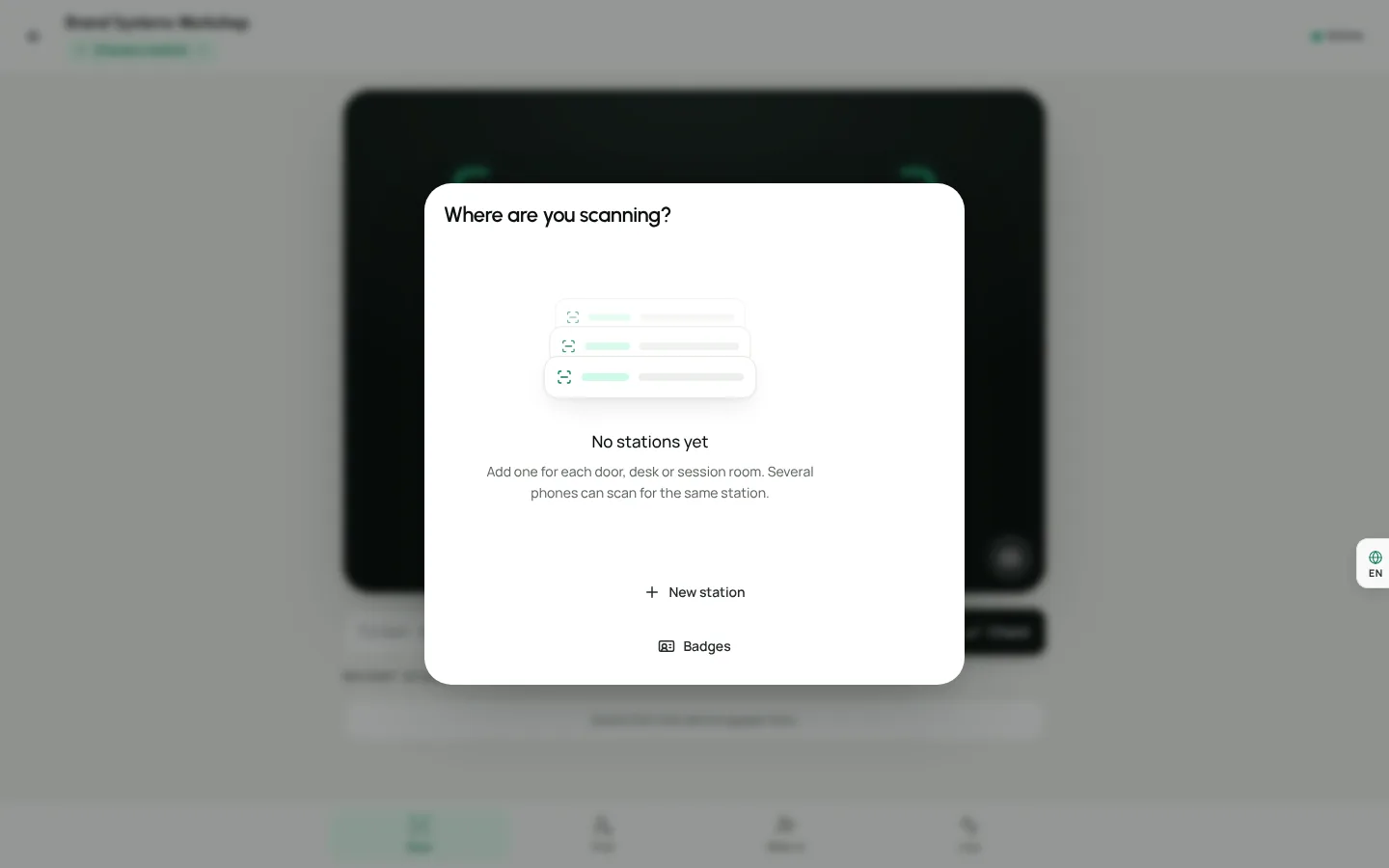
On the day, volunteers check guests in by scanning the QR code on each ticket from the check-in screen. Public events are listed in the events directory by default, which helps local people find you, and you can turn that off per event.
For Al-Huda, that could mean a free "Ask a Muslim" evening with RSVP, a paid fundraising dinner with table tickets, and a monthly sisters' circle with a set number of places. Read Host and sell event tickets and the event check-in day-of guide.
Volunteers and sign-ups with forms
Volunteers are the backbone of most organisations. Build a step-by-step form in Forms that asks for availability, skills and which activities someone wants to help with. Logic can skip questions that do not apply.
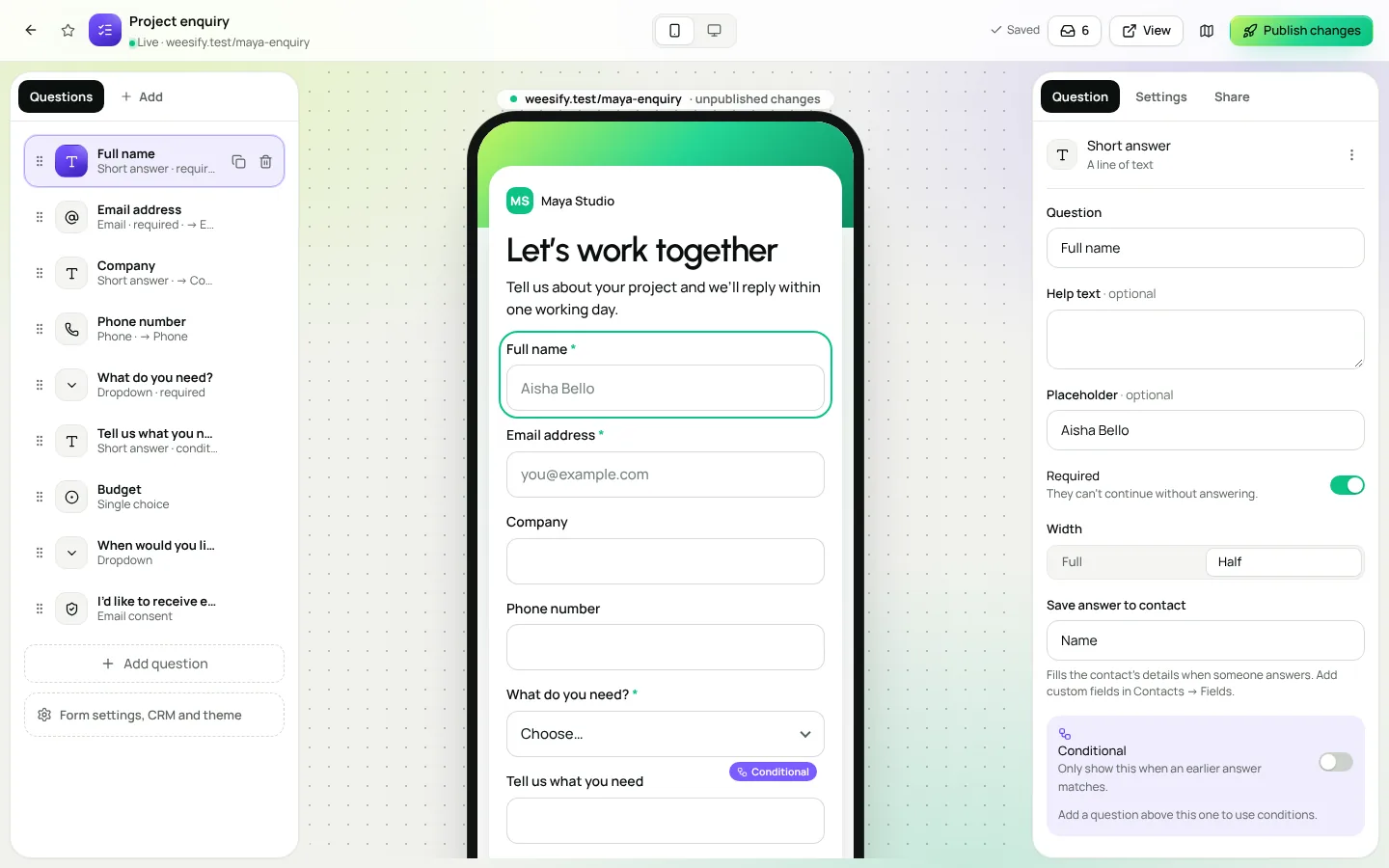
Every person who submits the form becomes a contact, with tags you choose, such as "volunteer: stall" or "volunteer: events". Later, you can email just the stall volunteers when the rota changes. Read Forms that capture leads and Form QR code in one click for a printable sign-up code.
Classes and courses for new Muslims
Many dawah organisations run structured learning for people who have recently accepted Islam. Weesify Courses supports lessons with video and notes, quizzes, certificates and drip release, so lessons unlock week by week from each student's own start date. Courses can be free.
Pair a course with a community so learners can ask questions in a safe, moderated space instead of a public group chat. See Launch an online course and Build a paid community; community spaces can also be free to join.
Keeping supporters informed
- Email broadcasts for appeal updates, event invitations and thank-you messages, sent to segments such as "donors this year".
- Automations that send a thank-you and a welcome note when someone first gives or signs up. See Automations: a welcome sequence.
- Content OS to plan social posts around your calendar, including Ramadan and Dhul Hijjah appeals. See Grow your audience with a Ramadan campaign planner.
Weesify's own analytics count views, clicks and scans without cookies, so you can see which leaflet, banner or post brought people in.
Sharing the work across a small team
Invite trustees, staff and lead volunteers from Settings › Members. Roles keep things safe: an Editor can prepare pages, events and emails, while sending email to your whole audience and switching automations on stays with owners and admins. An Analyst can view numbers without changing anything, which suits trustees who want to see progress.
The nonprofit discount
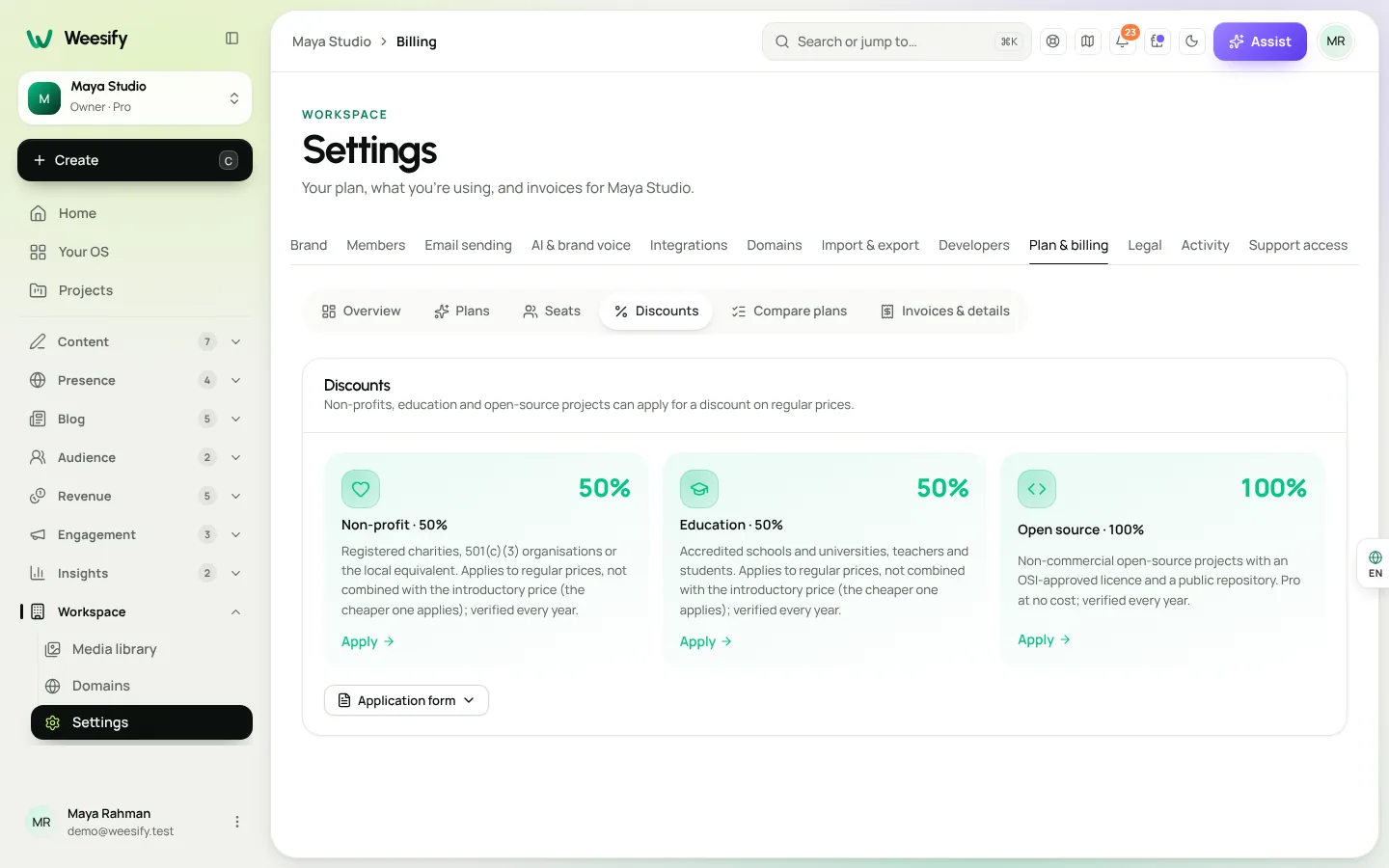
Registered charities, 501(c)(3) organisations or the local equivalent can apply for a non-profit discount on Pro and Business. Go to Settings › Plan & billing › Discounts, choose Apply on the non-profit programme, add your organisation details and attach evidence such as a registration certificate. You will see the status on the Discounts tab and get an email with the decision. Approvals are checked every year.
Weesify for nonprofits and dawah organisations: what goes where
| Need | Weesify feature |
|---|---|
| Take one-off gifts | Donation product and the Donate block |
| Show appeal progress | Fundraising goal block, from real donations |
| Thank donors publicly | Supporters wall, for those who chose to be named |
| Run events | Events with tickets, RSVP and QR check-in |
| Recruit volunteers | Forms that tag contacts |
| Teach new Muslims | Courses with drip lessons, plus a community |
| Keep in touch | Email broadcasts and automations |
A first-month checklist
- Build your page and connect your domain.
- Create a Donation product and add the Donate and Fundraising goal blocks.
- Set up a volunteer form and print its QR code for your stall.
- Create your next event and test check-in with a volunteer's phone.
- Write a thank-you automation for first-time donors.
- Apply for the non-profit discount.
Frequently asked questions
Can we show how much we have raised?
Yes. The Fundraising goal block shows progress towards your goal from real donations made through Weesify.
Will donors' names appear publicly?
Only if they chose to be named. The Supporters wall thanks people who gave and agreed to be shown.
Can volunteers check people in at an event without full access?
Give volunteers a role that fits the job and have them use the check-in screen to scan tickets. Keep owner and admin roles for the people who manage money and settings.
Is there a discount for charities?
Registered charities and their local equivalents can apply for a non-profit discount on Pro and Business from Settings › Plan & billing › Discounts. Each programme card shows the current percentage.
Can we run free classes and free events?
Yes. Courses, events and community spaces can all be free.
Bring your cause together
Your volunteers give their time for the cause, not for admin. Set up your page, a donation block and your next event in one workspace and give your team a single place to work.
Start your 14-day trial. Every plan starts with a 14-day trial; you add a card to start and nothing is charged during the trial.
Sigue leyendo
 Use cases
Weesify for Islamic Educators: Courses, Classes and Community
A practical look at how an Islamic educator can run courses, live classes, one-to-one sessions and a student community from one Weesify workspace.
Use cases
Weesify for Islamic Educators: Courses, Classes and Community
A practical look at how an Islamic educator can run courses, live classes, one-to-one sessions and a student community from one Weesify workspace.
 Use cases
Booking Page for Consultants: Fill Your Calendar Calmly
Stop the back-and-forth emails. A Weesify booking page lets clients pick a free time, pay up front and get a calendar invite and a private meeting room.
Use cases
Booking Page for Consultants: Fill Your Calendar Calmly
Stop the back-and-forth emails. A Weesify booking page lets clients pick a free time, pay up front and get a calendar invite and a private meeting room.
 Use cases
Build a Paid Community on Your Own Page, Step by Step
A paid community gives your most engaged people a home and gives you income that does not depend on a feed. Here is how to plan, price and launch one with Weesify Community.
Use cases
Build a Paid Community on Your Own Page, Step by Step
A paid community gives your most engaged people a home and gives you income that does not depend on a feed. Here is how to plan, price and launch one with Weesify Community.
Comentarios
Aún no hay comentarios. Empieza la conversación.