


Weesify 2.0: What's New in the Rebuilt Weesify

From a link page in 2022 to an operating system for your online presence, audience and income. Here is everything new in Weesify 2.0, in plain words.
Weesify started as a simple way to put everything you share behind one link. Weesify 2.0 is something much bigger: a rebuilt, connected workspace for your online presence, your audience and your income. This post walks through what is new, where it came from, and where to start if you are coming from the first Weesify.
Everything below comes from our public changelog, which you can also find in the app under What's new.
In this guide
- How we got here
- The foundations: pages, links, audience and money
- Selling, teaching, booking and gathering people
- Content OS and Video Studio
- The latest release: AI engine, templates, social publishing and more
- New plans and the 14-day trial
- Moving from the old Weesify, and FAQ
How we got here
- 2022: Weesify launches. Bio links, link shortening, QR codes and basic analytics.
- 2023: refinements. More templates and many small improvements, and a clear lesson from the people using it: they wanted one place to run their whole online presence, not only a link page.
- 2024: the rebuild begins. We started rebuilding Weesify from the ground up as an operating system for your presence, audience and income.
- 2025: Weesify 2.0 takes shape. The connected workspace came together piece by piece. A form sign-up becomes a contact, a purchase becomes a customer, an event ticket becomes a guest.
- 2026: Weesify 2.0 ships. The foundations, then selling and teaching, then Content OS, Video Studio and the AI engine.
The foundations: pages, links, audience and money
Presence
- Pages and blocks: a drag-and-drop builder with a large library of blocks, templates and themes, and Assist to design a page from a sentence.
- Links and QR codes: branded short links with schedules and expiry, and dynamic QR codes you can point somewhere else later.
- Domains: use your own domain for pages and links.
Audience
- Contacts with tags, segments and a timeline.
- Forms: step-by-step forms with logic that feed your contacts.
- Analytics: views, clicks, scans and sign-ups, without cookies.
Store
- Digital products, services and pay-what-you-want pricing, with checkout on your page.
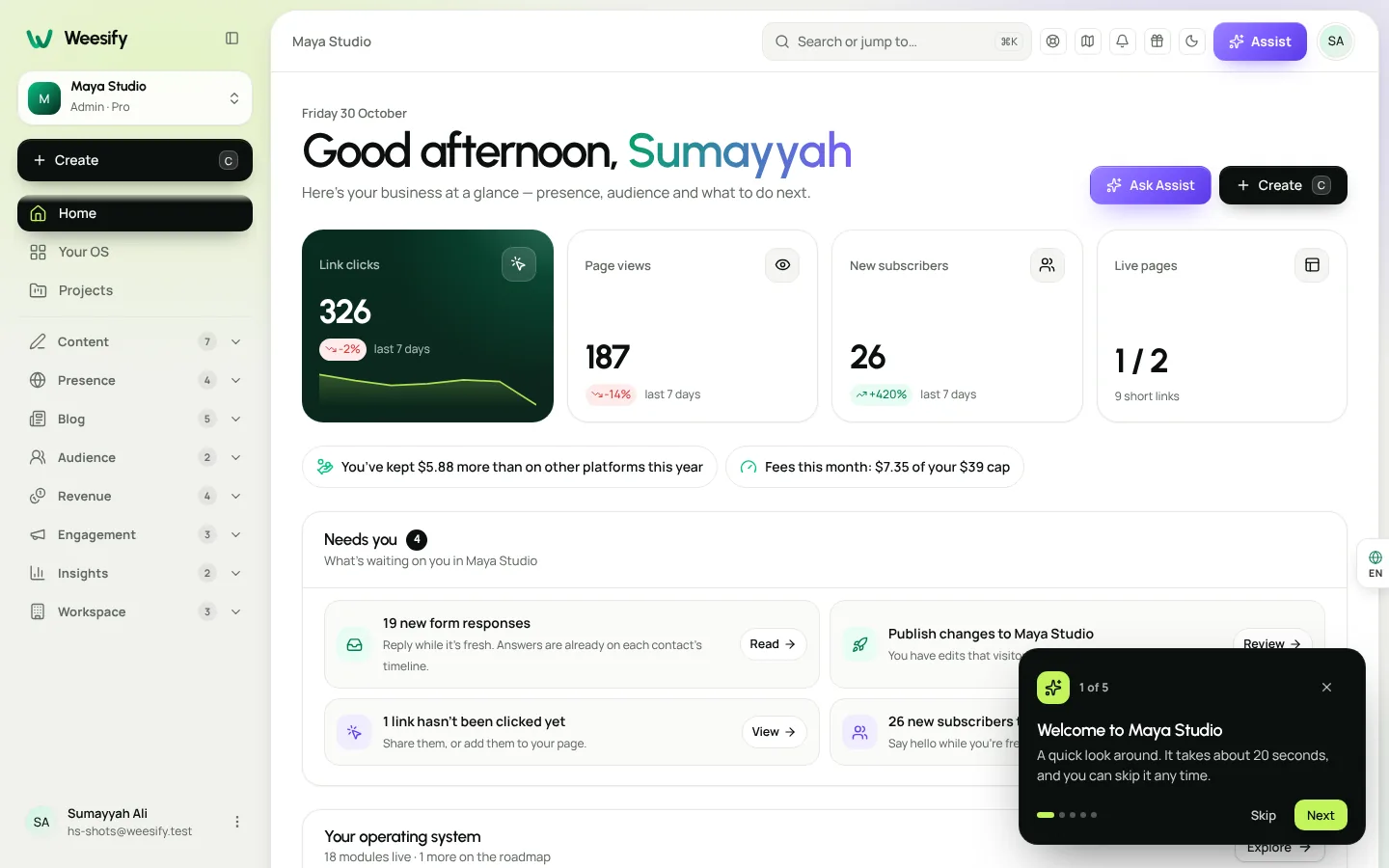
Start with A link-in-bio page that sells and Dynamic QR codes explained.
Selling, teaching, booking and gathering people
In October 2026 we added the pieces you need to run a business or a community:
- Courses: lessons with video and notes, quizzes and certificates, free or paid.
- Bookings: weekly hours, buffers and paid sessions with calendar invites and reminders.
- Events: free and paid events with tickets, QR check-in and a public directory.
- Community: spaces, posts, comments and members, free or paid to join.
- Email and automations: broadcasts to your audience and automations that send the right message at the right time.
- Assist and AI: pages from one sentence, writing help across the product and insight from your analytics.
Read Launch an online course, Host and sell event tickets and Build a paid community.
Content OS and Video Studio
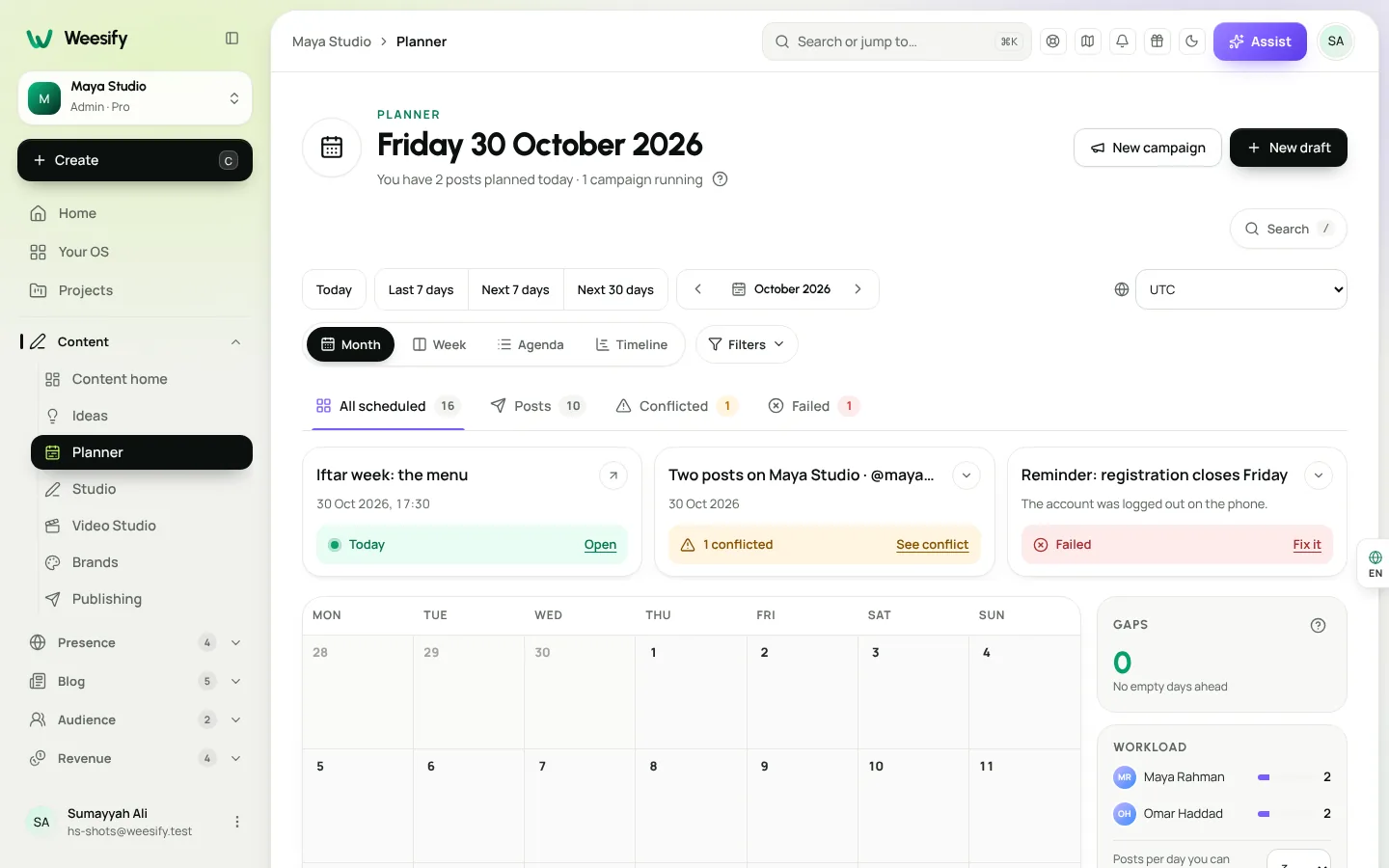
Content OS is a home for everything you post: an Ideas inbox, a Planner calendar with campaigns, a Studio for writing in your brand's voice, Approvals, scheduling with queues and automations, Insights and Repurpose.
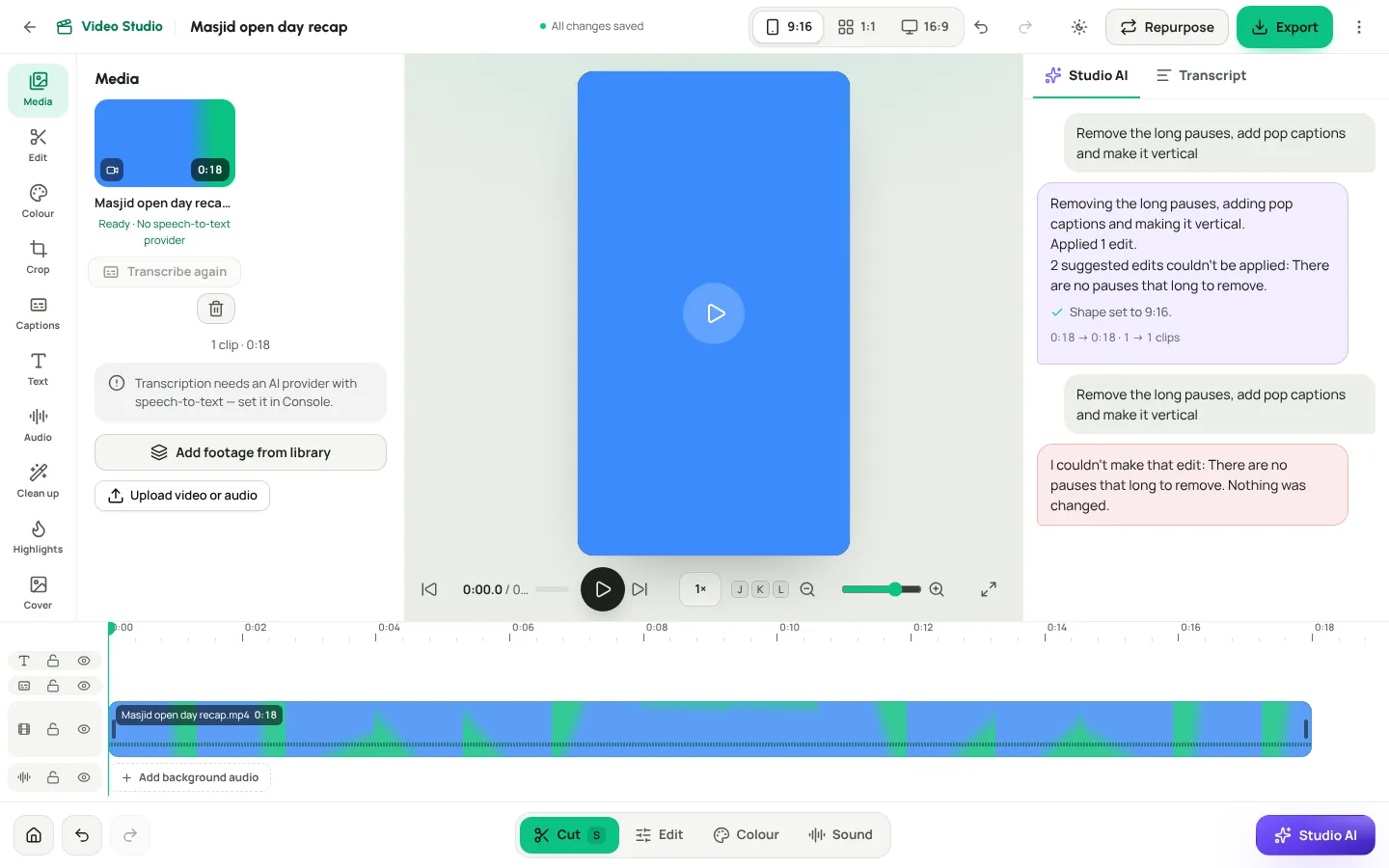
Video Studio edits the footage you already have. Cut a video by deleting words in its transcript, add word-by-word captions, remove pauses and filler words in one tap, add your own background audio that lowers itself when someone speaks, and export for Reels, TikTok, YouTube or square. Your original files are never changed.
Read Content OS: plan, write and publish in one place and Video Studio: edit your existing footage.
The latest release (29 October 2026)
The Weesify AI engine. AI that runs on Weesify's own servers, so drafts, Repurpose, Studio AI, Assist and transcription work without sending your content to an outside AI company. Read Weesify AI runs on our own servers.
A faster Video Studio. A mobile-first editor with light, dark and follow-device themes, multiple clips, speed, colour looks, crop and zoom, caption styles, voice levelling and noise reduction, highlights, covers, subtitle import, export presets and background audio. Studio AI edits from one sentence and shows its progress live, with a Cancel button.
A redesigned Content OS. A board with your own workflow stages, a planner with week, timeline and conflict views, live previews, editing published posts with versions, bulk actions, search and filters, comments with @mentions and a phone tab bar.
Social publishing and an inbox. Connect your social accounts so scheduled posts go out on their own, with reminders as a safe fallback. Direct posting turns on network by network as each one approves Weesify's app. A social inbox gathers comments from connected accounts, with reply, assign and resolve. See Publish to social networks and Reply faster with the social inbox.
Templates. Ten booking page designs and ten store templates. Six course page designs (Academy, Minimal, Cohort, Cinematic, Workbook and Community) and a better learning area with progress rings, notes, quizzes and certificates, in light, dark and right to left. Five community experiences. See Store templates: pick the right one.
Around the workspace.
- A new sidebar with groups that open and close, remembered on every device, and an icon-only mode.
- Page header and organiser settings for forms, booking, product, checkout and order pages.
- Build from a link: Assist can build a page, a form, bookings or an event from a link you already have.
- Public events are listed in the events directory by default, and you can turn that off per event.
- Guided tours you can replay any time from the Help menu.
- A public roadmap and changelog.
Weesify Meetings. Video meetings for your bookings, hosted on Weesify's own servers, with rescheduling, a month view, paid weekly series and optional recordings with transcripts and AI summaries. Read Self-hosted video meetings on Weesify.
New plans and the 14-day trial
Weesify now has four plans: Pro, Business, Enterprise and Custom. Each one starts with a 14-day trial. You add a card to start, nothing is charged during the trial, and you can choose End trial before the date if you decide not to continue. Prices and what each plan includes are on the pricing page.
Read How to get the most out of your 14-day trial.
Coming from the old Weesify
If you used the old Weesify or wees.bio, your account moves to Weesify 2.0 for you. Sign in with the same email and password. Your page and short link addresses stay the same, printed QR codes keep scanning, and pages, links, QR codes, custom domains, uploads, sign-ups and past analytics come across. A paid plan that has not run out continues until the date it would have ended.
Weesify 2.0 at a glance
| Area | New in Weesify 2.0 |
|---|---|
| Presence | Page builder, branded links, dynamic QR codes, custom domains, HTML websites |
| Audience | Contacts, forms, email, automations, community, cookieless analytics |
| Revenue | Store, courses, bookings, events |
| Content | Content OS, Video Studio, social publishing and inbox |
| AI | Weesify AI engine on our own servers, Assist, Studio AI |
Frequently asked questions
Is Weesify 2.0 a separate product?
No. It is the rebuilt Weesify. If you had an account on the old Weesify or wees.bio, it moves across with your addresses kept.
Will my printed QR codes still work?
Yes. Printed codes scan exactly as before. A code tied to a link becomes a dynamic code that points to that link.
How can I try Weesify before paying?
Every plan (Pro, Business, Enterprise and Custom) starts with a 14-day trial, and nothing is charged during the trial.
Where can I see what is coming next?
On the public roadmap. You can also suggest an idea and vote from the app.
See it for yourself
The best way to understand Weesify 2.0 is to build something in it. Make a page, plan a week of posts and edit one short video.
Start your 14-day trial. Every plan starts with a 14-day trial; you add a card to start and nothing is charged during the trial.
تابع القراءة
 Product news
Weesify AI Runs on Our Own Servers: What That Means for You
The Weesify AI engine runs open AI models on Weesify's own servers, so drafts, Repurpose, Studio AI, Assist and transcription can work without sending your content to an outside AI company.
Product news
Weesify AI Runs on Our Own Servers: What That Means for You
The Weesify AI engine runs open AI models on Weesify's own servers, so drafts, Repurpose, Studio AI, Assist and transcription can work without sending your content to an outside AI company.
 Features
Content OS: Plan, Write and Publish Your Content in One Place
Ideas in one app, drafts in another, the calendar in a spreadsheet. Weesify's Content OS brings ideas, writing, planning, publishing and results into one calm workspace.
Features
Content OS: Plan, Write and Publish Your Content in One Place
Ideas in one app, drafts in another, the calendar in a spreadsheet. Weesify's Content OS brings ideas, writing, planning, publishing and results into one calm workspace.
 Growth & marketing
Link in Bio Page That Sells: Turn Profile Visits into Sales
Most link in bio pages are a list of buttons that send people away. Here is how to build a Weesify bio page where visitors can buy, book, register and subscribe without leaving.
Growth & marketing
Link in Bio Page That Sells: Turn Profile Visits into Sales
Most link in bio pages are a list of buttons that send people away. Here is how to build a Weesify bio page where visitors can buy, book, register and subscribe without leaving.
التعليقات
لا توجد تعليقات بعد. ابدأ المحادثة.