


Weesify for Coaches and Consultants: Book, Teach, Get Paid

How a coach or consultant can take paid bookings, run intake forms, sell programmes and keep every client relationship in one Weesify workspace.
If you coach or consult, your calendar is your business. Every back-and-forth email about times, every unpaid no-show and every lost intake answer costs you money. Weesify for coaches and consultants puts your booking page, payments, intake forms, programmes and client follow-up in one workspace, so clients can book and pay in a few taps and you walk into each session prepared.
We will follow an example business we invented for this guide: "Hamza Advisory", a solo consultant who helps small business owners with pricing and growth, plus "Coach Sumayyah", who runs a group programme for new managers. Neither is a real customer, and nothing below is a testimonial.
In this guide
- A booking page clients actually finish
- Paid sessions, buffers and schedules
- Intake forms that prepare you for the call
- Packages, programmes and paid questions
- Group programmes with courses and community
- Follow-up that runs itself
- A setup checklist and FAQ
A booking page clients actually finish
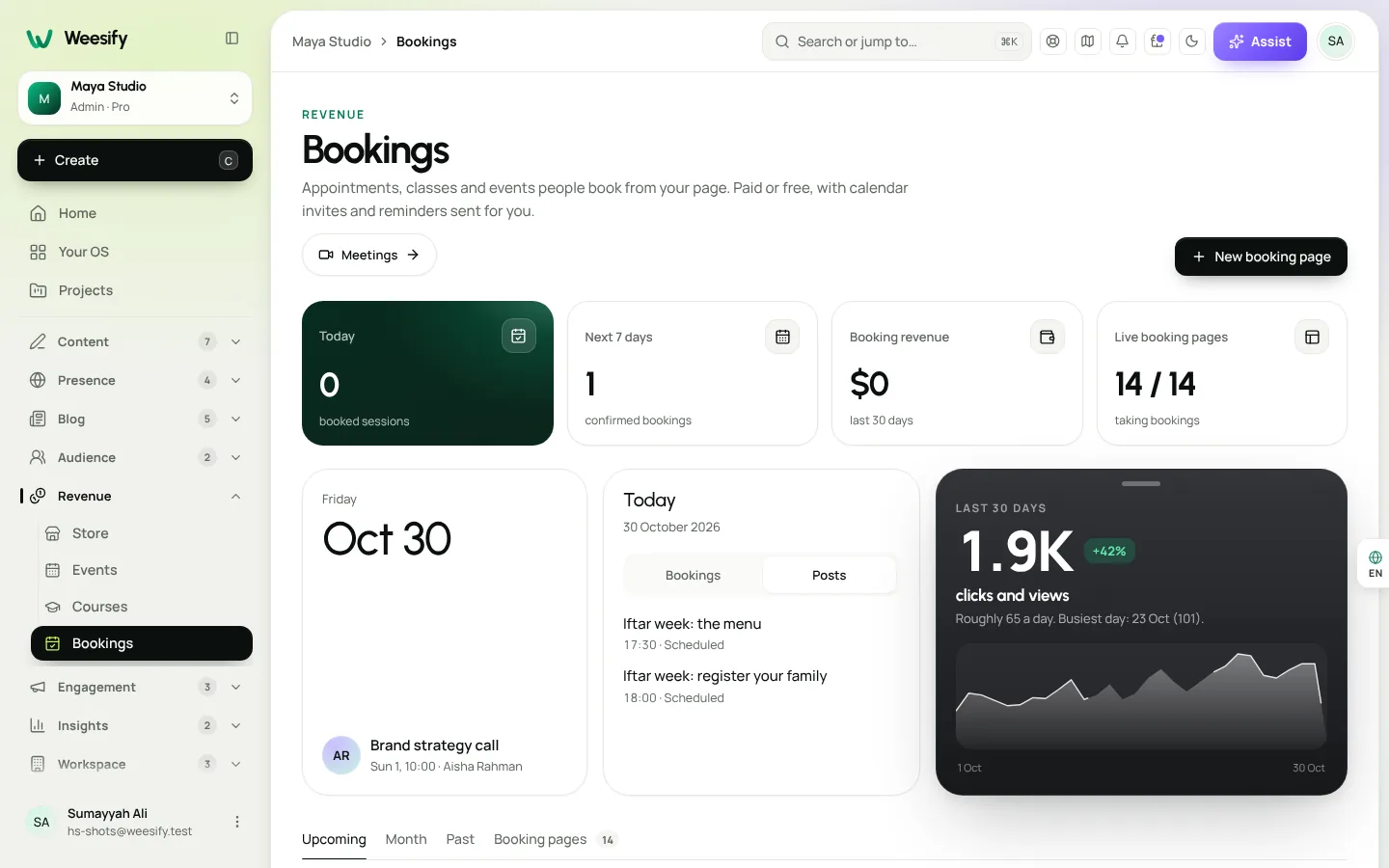
Open Revenue › Bookings and create a bookable service, for example "Pricing strategy call, 60 minutes". You can choose from ten booking page designs, including Classic split, Minimal, Week strip, Agenda, Services grid, Dark luxe, Soft pastel, Bold brand colour, Compact embed and Concierge.
On phones, guests get a step-by-step flow, a time-zone picker, 12 or 24 hour times, the next available time, add-to-calendar and a reschedule link. That matters when your clients are spread across countries: they see times in their own zone, and you see them in yours.
For a full walkthrough of the booking page itself, read A booking page for consultants.
Paid sessions, buffers and schedules
Set your rules once and let Weesify work out the free times, skipping anything already booked:
- Under When people can book, switch on your working days and hours.
- Choose a Length and how often to Offer a start every.
- Add a Break after each booking so you have time to write notes.
- Set Minimum notice, from None to 1 week, so nobody books you in ten minutes.
- Limit How far ahead people can book, from 1 week to 6 months.
- Add Days off for holidays and travel.
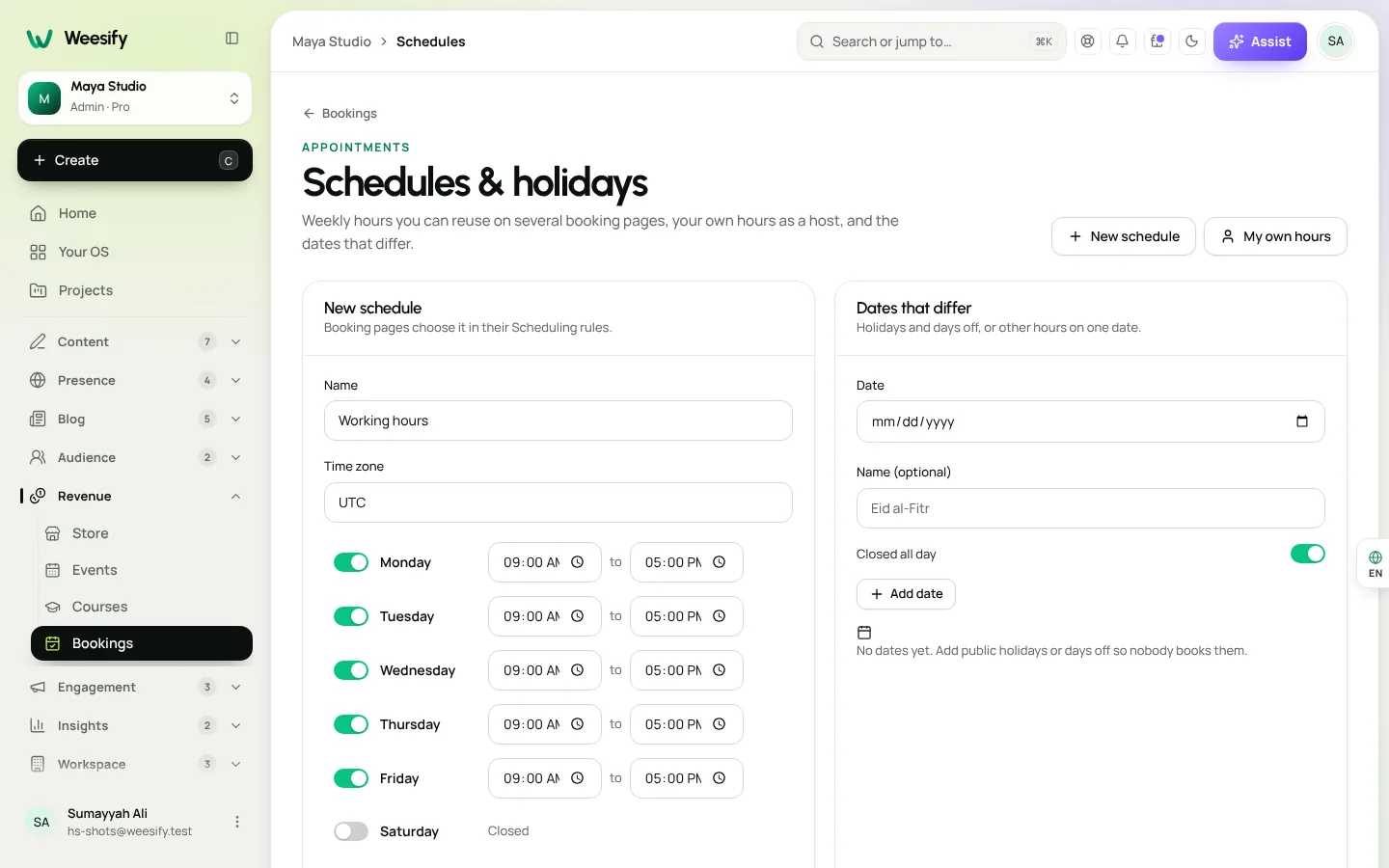
To charge, choose a Currency and enter a Price on the booking page. The time is held while the client pays and confirmed once payment goes through, so you are not left with unpaid slots. Under Schedules & holidays you can keep several named weekly schedules, such as "Client hours" and "Ramadan hours", and point a booking page at one with Follow a schedule.
Running a fixed set of sessions, like a six-week coaching block? Read Run a weekly series of paid sessions.
Intake forms that prepare you for the call
The best sessions start before the call. Build a short, step-by-step form in Forms that asks about the client's goals, current situation and what a good outcome looks like. Logic can skip questions that do not apply.
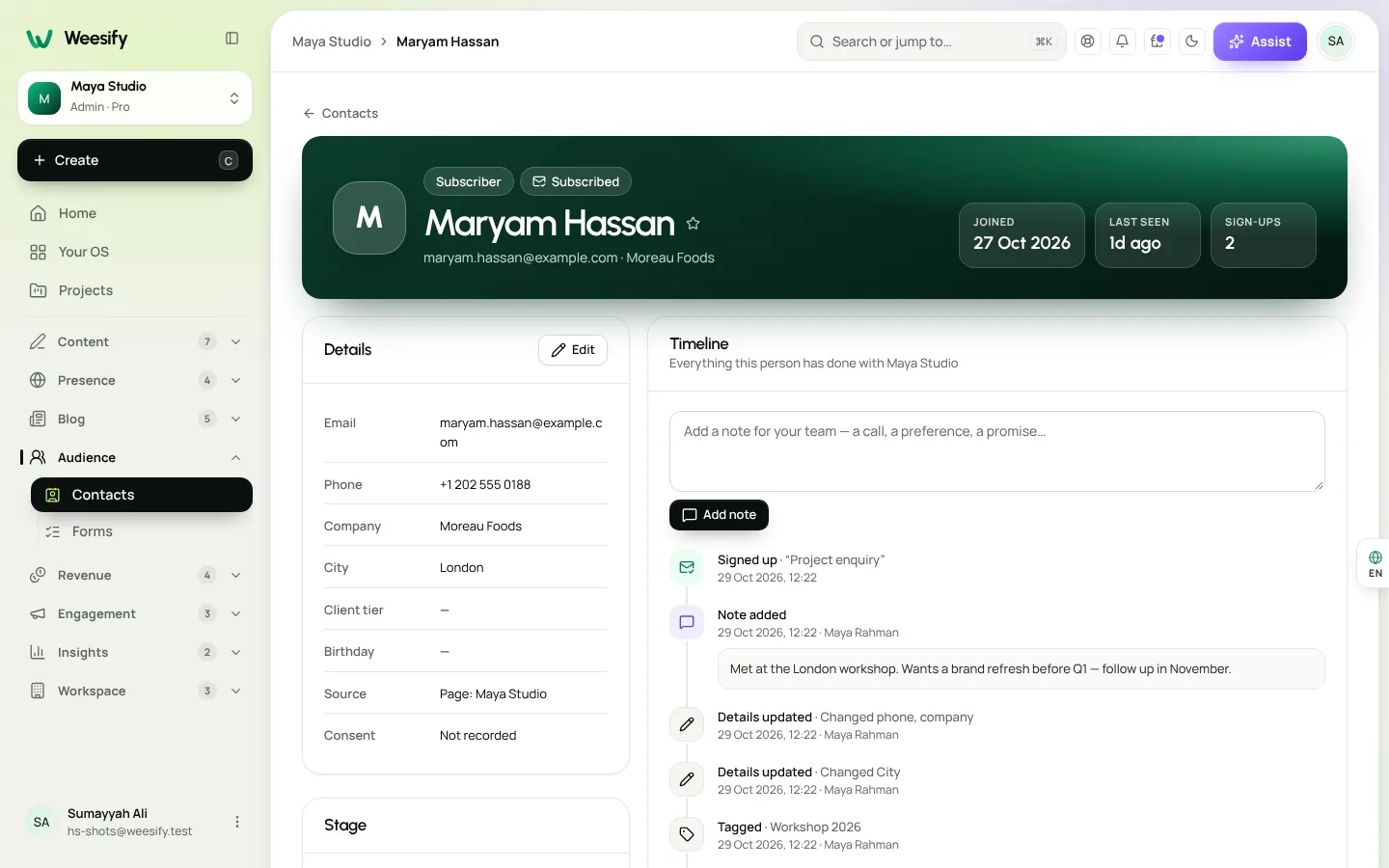
Everyone who answers becomes a contact with a timeline, so when Hamza opens a client's profile before a call, the intake answers, bookings and purchases are all in one place.
See Forms that capture leads for form design tips.
Packages, programmes and paid questions
Not every client wants a live call. In Revenue › Store you can sell:
- Services, such as a written audit of a client's pricing page.
- Digital products, such as a workbook, a template pack or a recorded workshop.
- Paid questions, where someone pays to ask you one question and get a considered answer. This suits consultants who are often asked "just one quick thing".
- Gift cards, for clients who want to give your sessions to someone else.
Products support a Was price to show a reduction, Pay what you want with an optional minimum, and discount codes. Read Sell digital products in an online store and Discount codes and offers.
Group programmes with courses and community
Coach Sumayyah's programme for new managers mixes self-paced lessons with group discussion. In Weesify that is a course plus a community:
- The course holds video and written lessons, quizzes and a certificate. Lessons can drip out week by week from each student's own enrolment date.
- A community space gives the cohort somewhere to share wins and questions, moderated by you. Choose from five member experiences, such as Social feed or Conversations.
- Group calls can run as bookable sessions with People per time above 1.
Read Launch an online course and Build a paid community.
Video meetings and session notes
Weesify Meetings brings video calls to your bookings, hosted on Weesify's own servers rather than a separate meeting service, with optional recordings, transcripts and AI summaries. Read Self-hosted video meetings on Weesify and Meeting recordings, transcripts and summaries.
Follow-up that runs itself
Most coaching revenue comes from clients who come back. Use:
- An automation that thanks a client after their first session and links to your next offer. See Automations: a welcome sequence.
- Tags and segments, such as "discovery call done" or "programme alumni", to send the right email to the right people.
- Email broadcasts when you open a new cohort. See Email newsletters that get read.
Weesify for coaches and consultants: the toolkit
| You want to... | Use |
|---|---|
| Let clients book and pay | Bookings with a price, held until paid |
| Protect your energy | Breaks, minimum notice, days off |
| Prepare for each call | Intake forms that feed contact timelines |
| Earn between calls | Services, digital products, paid questions |
| Run a group programme | Courses plus a community space |
| Bring clients back | Automations, segments and broadcasts |
Setup checklist
- Create one bookable service with a price and a design you like.
- Set hours, a break after each booking and minimum notice.
- Build an intake form and link it from your confirmation message or page.
- Add one product: a workbook, a paid question or a gift card.
- Write a two-step follow-up automation.
- Put your booking page link on your social profiles and email signature.
Frequently asked questions
Can clients book in their own time zone?
Yes. Guests choose their time zone on the booking page and can switch between 12 and 24 hour times. Your availability is saved in your own time zone.
What happens if a client does not pay in time?
A paid time is held while the client pays. If payment does not arrive in time, the hold is released and the booking shows as cancelled with Not paid in time.
Can I run group sessions?
Yes. Set People per time above 1 on a bookable service, or use a course and community for longer group programmes.
Can I sell something other than calls?
Yes. The Store sells digital products, services, donations, gift cards and paid questions, each with its own checkout.
Does Weesify take a cut of my sales?
On Pro, Weesify takes a 2% commission on sales; on Business, Enterprise and Custom it takes none. Your payment provider charges its usual processing fee. See pricing.
Spend your time coaching
Clients should be able to find you, book you and pay you without a single email. Set up one bookable service and an intake form this week, then add a programme when you are ready.
Start your 14-day trial. Every plan starts with a 14-day trial; you add a card to start and nothing is charged during the trial.
تابع القراءة
 Use cases
Weesify for Islamic Educators: Courses, Classes and Community
A practical look at how an Islamic educator can run courses, live classes, one-to-one sessions and a student community from one Weesify workspace.
Use cases
Weesify for Islamic Educators: Courses, Classes and Community
A practical look at how an Islamic educator can run courses, live classes, one-to-one sessions and a student community from one Weesify workspace.
 Use cases
Booking Page for Consultants: Fill Your Calendar Calmly
Stop the back-and-forth emails. A Weesify booking page lets clients pick a free time, pay up front and get a calendar invite and a private meeting room.
Use cases
Booking Page for Consultants: Fill Your Calendar Calmly
Stop the back-and-forth emails. A Weesify booking page lets clients pick a free time, pay up front and get a calendar invite and a private meeting room.
 Use cases
Build a Paid Community on Your Own Page, Step by Step
A paid community gives your most engaged people a home and gives you income that does not depend on a feed. Here is how to plan, price and launch one with Weesify Community.
Use cases
Build a Paid Community on Your Own Page, Step by Step
A paid community gives your most engaged people a home and gives you income that does not depend on a feed. Here is how to plan, price and launch one with Weesify Community.
التعليقات
لا توجد تعليقات بعد. ابدأ المحادثة.