


Location Analytics: See Visitors by Country and City

Weesify shows where your visitors are by country, region and city, worked out on Weesify's own servers, without storing anyone's address. Here is what you see and how to use it.
You wrote your course page in English, priced it in one currency and scheduled your launch email for 9am your time. Then you open your analytics and discover a third of your visitors are seven hours ahead, reading on their phones before they sleep.
Location analytics answers a simple question with big consequences: where are the people who visit my pages, click my links and scan my codes? In Weesify, you can see that by country, region and city, from the overview down to a single link. And it is done in a way that respects your visitors: their addresses are used only for the lookup and never stored.
In this guide
- What location analytics shows you
- How Weesify places a visit, and what "Unknown" means
- Reading the Location tab, from world to city
- Location for a single link, page or QR code
- Five ways to use location data
- FAQ
What location analytics shows you
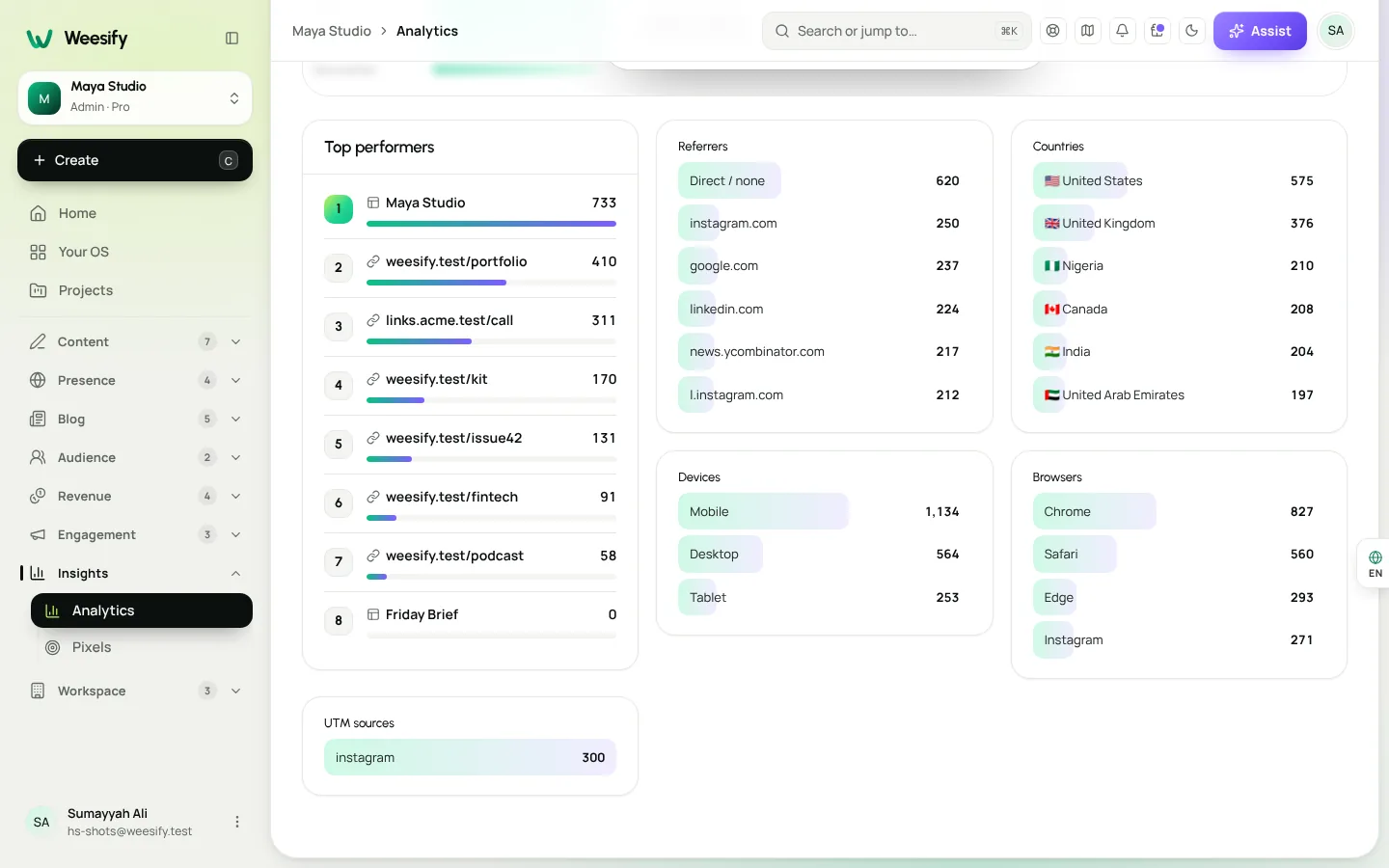
Open Insights › Analytics and scroll to Deep insights, then open the Location tab. You will find:
- Countries, with visits and visitors for each.
- Regions and states inside a country.
- Cities, plus a city map.
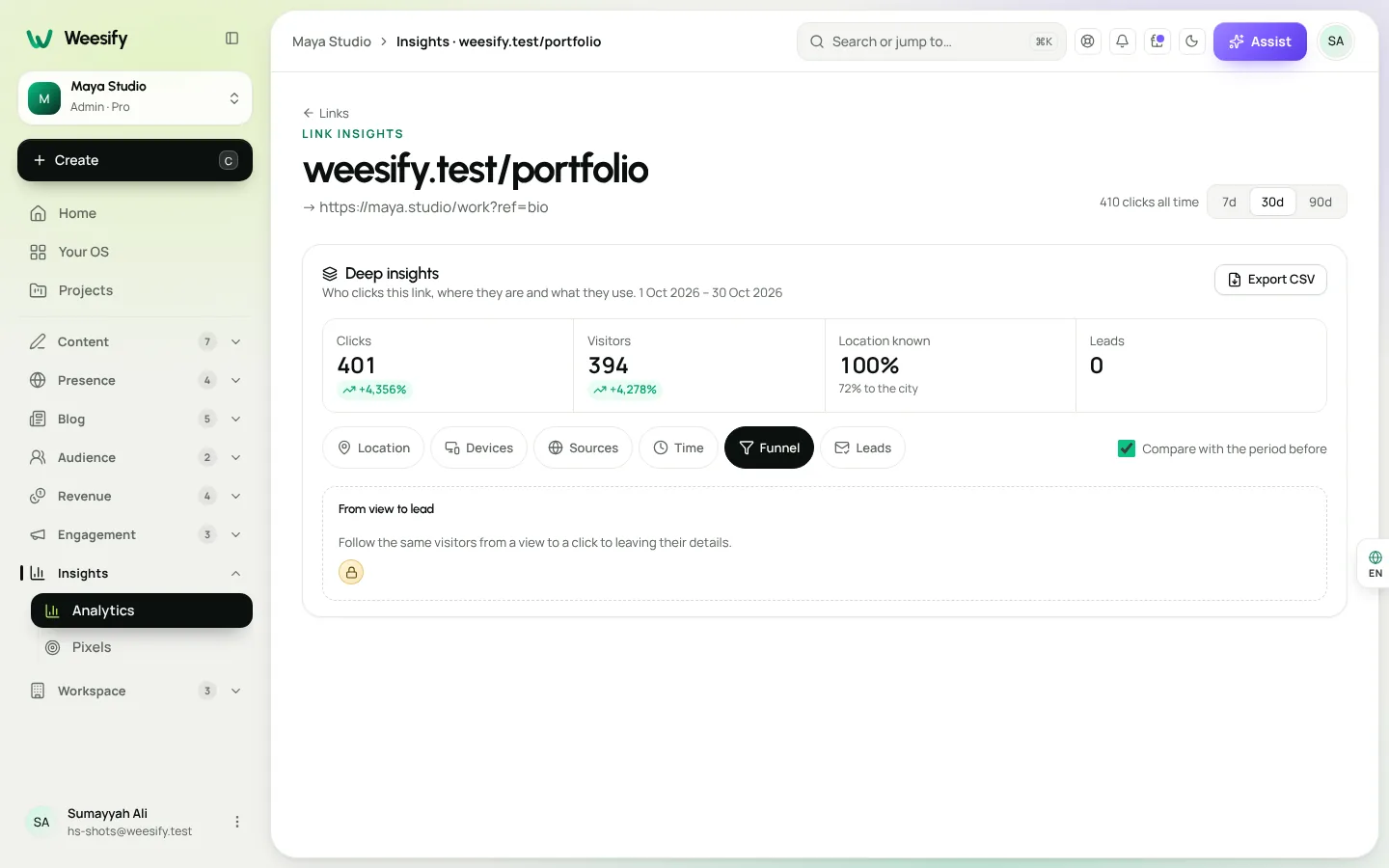
- A Location known figure, so you can see how much of your traffic could be placed.
The same breakdown appears on each short link, page and QR code's own analytics, and in the Leads tab, which shows the countries your sign-ups come from.
How Weesify places a visit
Weesify works out location on its own servers, using a location database. A visitor's network address is used only for that lookup and is never stored. A location is approximate, to about 11 km, and no street address is ever stored.
To place a visit, Weesify tries these in order:
- A city database on the server, the most accurate source.
- The network edge, when a site sits behind Cloudflare, which gives the country only.
- The browser's time zone, as a rough guess when nothing else is known.
Weesify keeps the location database up to date on a regular schedule, checking each new file before it replaces the old one.
What "Unknown" means
Some visits can't be placed. They show as Unknown, with Unknown region or Unknown city where only part is known. Usually that is a private network, a brand-new address range, or a visit from before precise location was switched on. A small share of Unknown is normal. Use the Location known figure to see how much of your traffic is placed.
Reading the Location tab
Start with the world
The world view gives you the shape of your audience at a glance. Are you local, regional or global? Is one country far ahead of the rest?
Tap into a country
Tap a country to see its regions and cities. Breadcrumbs at the top show where you are, so you can step back up to the world view at any point.
Look at cities
The Cities list and the city map show where visitors cluster. For anyone running in-person classes, events or pop-ups, this is the most practical view of all: it tells you where an event would draw a crowd.
Combine with time and devices
Location is most useful next to the other tabs:
- Time shows Best days and hours, so you can see when your audience is active. If most visitors are in a time zone far from yours, schedule posts and emails for their morning, not yours.
- Devices shows phones versus computers, browsers and operating systems. A largely mobile audience in one region tells you to check your pages on a small screen first.
- Languages shows the languages visitors' browsers prefer, a good signal for whether to translate key pages.
Location for a single link, page or QR code
Every short link, page and QR code has its own analytics with the same location breakdown:
- Links: open Presence › Links, choose a link and open its analytics to see referrers, countries, devices and browsers.
- Pages: page analytics shows who visits, where they are, how they found it and what they tap.
- QR codes: see who scans a dynamic code, where and when. Put the same poster in two cities and you can compare them directly.
You can also download data from Reports as a CSV, or export leads from the Leads tab with the source and place of each lead. Names and emails stay in Audience.
Five ways to use location data
1. Write for the readers you have
If a large share of your visitors are in one region, use examples, spellings and references that land there. A short paragraph acknowledging local context can lift engagement more than a redesign.
2. Time your posts and emails
Pair Countries with Best days and hours. If your audience is split across distant time zones, consider scheduling the same newsletter for two segments at different times. Our newsletter playbook explains sending to segments.
3. Pick event cities with evidence
Thinking about an in-person workshop or iftar gathering? Look at Cities. If one city keeps appearing, that is where your first event belongs. Then use event ticketing to sell places.
4. Price and present offers locally
If many buyers come from one country, check how your store shows prices and whether your payment options suit them. A product that converts well at home may need a different message elsewhere.
5. Route visitors by country
Short links can send visitors from some countries, or on some devices, to a different address with link rules. Send visitors from one region to a page in their language, or to the event nearest them. See branded short links.
A note on privacy
Location data is powerful, so Weesify keeps it modest:
- Network addresses are used only for the lookup and are never stored.
- Locations are approximate, to about 11 km.
- Analytics works without cookies, and visitors are recognised for one day only.
- Exports show where leads came from, not who they are.
That gives you the insight you need to serve your audience better, without building a profile of anyone.
FAQ
How accurate is location analytics? Locations are approximate, to about 11 km. Country is usually reliable; city is a good guide but not exact.
Does Weesify store visitors' IP addresses? No. A visitor's address is used only to look up the location and is never stored.
Why do some visits show as Unknown? Some visits can't be placed, for example from private networks or brand-new address ranges. Check the Location known figure to see how much of your traffic is placed.
Can I see where my sign-ups come from, not just visitors? Yes. The Leads tab in Deep insights shows leads by channel and by country, and you can export the source and place of each lead.
Can I see location for one link or QR code? Yes. Every short link, page and dynamic QR code has its own analytics with countries, regions and cities.
Meet your audience where they are
Location analytics turns a list of visits into a map of real places. Use it to write for the readers you have, time your messages for their day, and choose where to show up in person. For the wider picture of channels and funnels, read know where your visitors come from.
Start your 14-day trial and see your audience on the map.
تابع القراءة
 Features
Dynamic QR Codes Explained: Print Once, Update Forever
A dynamic QR code points at a link you control, so you can change where it goes and count every scan without reprinting. Here is how they work in Weesify.
Features
Dynamic QR Codes Explained: Print Once, Update Forever
A dynamic QR code points at a link you control, so you can change where it goes and count every scan without reprinting. Here is how they work in Weesify.
 Features
How to Make Quiet Audio Louder in a Video (Without Distortion)
A quiet recording can sink a good video. Weesify Video Studio measures your footage, warns you when it is too quiet, and makes it louder to the level social platforms expect, with a limiter so it never distorts.
Features
How to Make Quiet Audio Louder in a Video (Without Distortion)
A quiet recording can sink a good video. Weesify Video Studio measures your footage, warns you when it is too quiet, and makes it louder to the level social platforms expect, with a limiter so it never distorts.
 Features
Self-Hosted Video Meetings: Meet Clients Inside Weesify
Weesify Meetings gives every online booking its own private video room, hosted on Weesify's own servers. No outside meeting links, no app for your guests.
Features
Self-Hosted Video Meetings: Meet Clients Inside Weesify
Weesify Meetings gives every online booking its own private video room, hosted on Weesify's own servers. No outside meeting links, no app for your guests.
التعليقات
لا توجد تعليقات بعد. ابدأ المحادثة.